



On this page
What you can fax to 1-877-447-2839
| What you’re sending | What HHSC says | To mail it instead |
|---|---|---|
| An application (Form H1010) | You can file it even if it’s incomplete, as long as it has your name, address and signature. | Texas Health and Human Services Commission, P.O. Box 149025, Austin, TX 78714-9025 |
| A renewal form (Form H1010-R) | Sign and date it and attach the items listed next to the questions. If the form is two-sided, fax both sides. | Texas Health and Human Services Commission, P.O. Box 149025, Austin, TX 78714-9025 |
| The items a Form H1020 letter asks for | Fax the letter together with the items, by the due date on the letter. | The prepaid envelope that came with the letter |
| A change in your household, on Form H1019 or another written report | You can also report it in your Your Texas Benefits account, at an HHSC office or by calling 2-1-1. | Texas Health and Human Services Commission, P.O. Box 149024, Austin, TX 78714-9024 |
You can also upload documents on YourTexasBenefits.com or in the Your Texas Benefits mobile app, or take them to a benefits office: call 2-1-1 to find one. If a letter from HHSC gives a different fax number or address, use the one on the letter. To apply for Medicaid for the Elderly and People with Disabilities, HHSC says to call 2-1-1 and ask for a different form.
HHSC’s instructions page for Form H1010 prints the fax number as 877-477-2839. The forms themselves and the Texas Works Handbook use 877-447-2839. Check the digits before you send.
Answering a Form H1020 letter
HHSC sends Form H1020 when it needs more facts from you: after you apply, after you report a change, or when it has to check your income. The letter lists the items it needs and the date to send them by. If they don’t arrive by that date, HHSC warns that you might not get benefits, or your benefits might end.
The letter gives four ways to send the items: upload them on YourTexasBenefits.com, upload them in the mobile app, mail them in the prepaid envelope, or fax the letter and the items to 1-877-447-2839. Before you fax:
- put your case number on everything you send;
- send the H1020 letter with the items, as HHSC asks;
- if someone writes a letter or statement for you as proof, make sure it gives their name, address and phone number, the date they wrote it, and their signature.
When HHSC counts your application as filed
The file date is the day HHSC receives an application with your name, address and signature, and HHSC treats it as day zero of the application process. An application that arrives outside business hours, when HHSC is closed, counts from the next business day, and that includes weekends and holidays. One submitted on YourTexasBenefits.com counts from the day you click Submit Application.
So a faxed application sent on a Saturday counts from Monday, or from the next business day if Monday is a holiday.
Questions about your case
For help with your case or with YourTexasBenefits.com, call 2-1-1 or 877-541-7905, pick a language, then press 2.
FaxTonic can’t receive faxes. Give HHSC a phone number or mailing address to reach you.
How to fax HHSC with FaxTonic
- Write your case number at the top of each page. If you’re answering a Form H1020 letter, put the letter with the items it lists.
- Scan the pages, both sides of any two-sided form, or photograph each one flat. FaxTonic takes PDF, JPEG, and PNG files, with up to 20 pages per fax and 4 MB once prepared for faxing.
- Upload the file to FaxTonic. On the free cover page, add your name and a phone number, and a subject such as “SNAP renewal” with your case number.
- Choose the United States and enter 877-447-2839. Check the price, $1.49 a page, and pay by card before your due date.
- Once the fax is delivered, save a screenshot of the status page and keep it with a copy of what you sent.

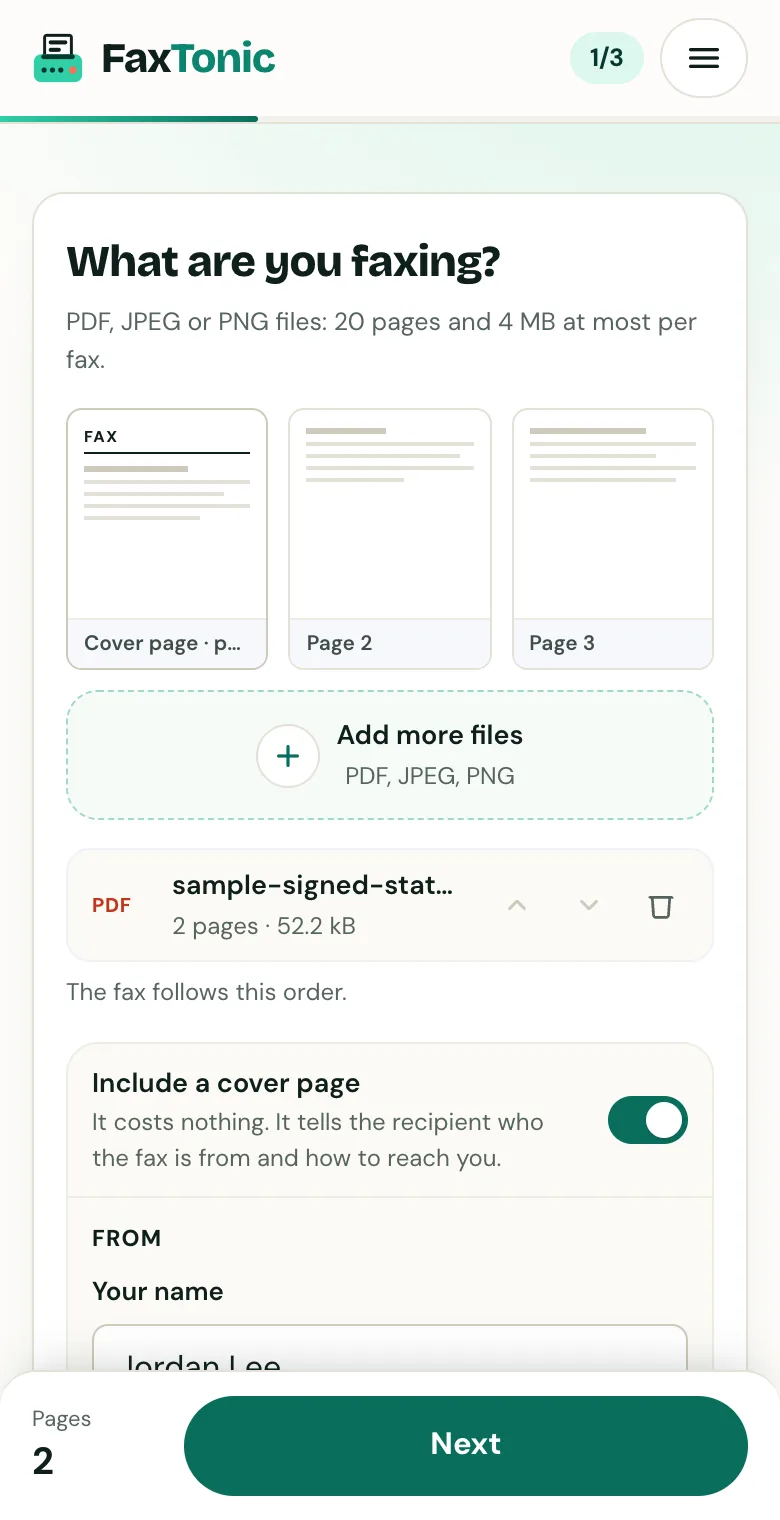
Add your file. The cover page is free, and you can turn it off.
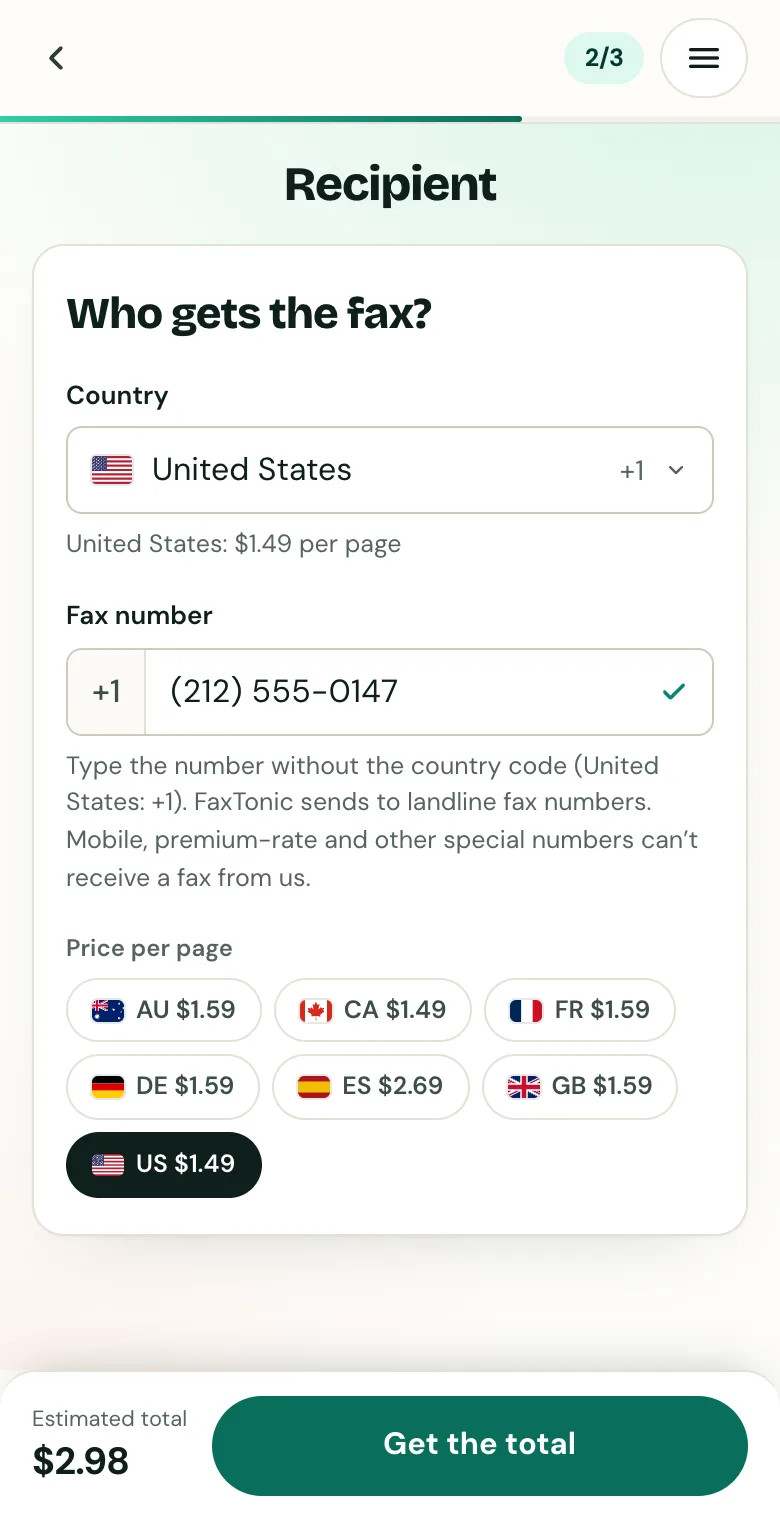
Pick the country and type the fax number.
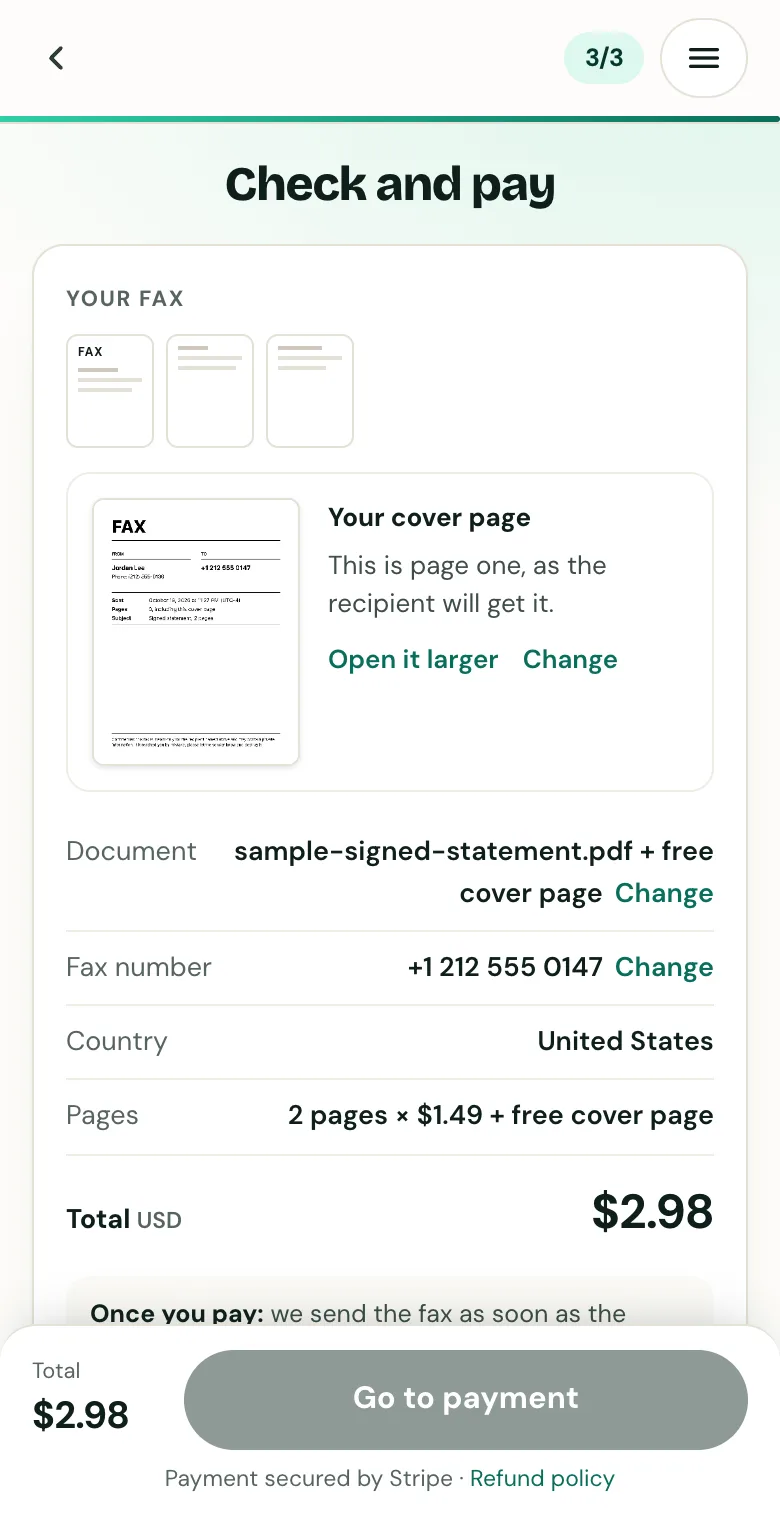
Check the cover page, the number and the total before you pay.
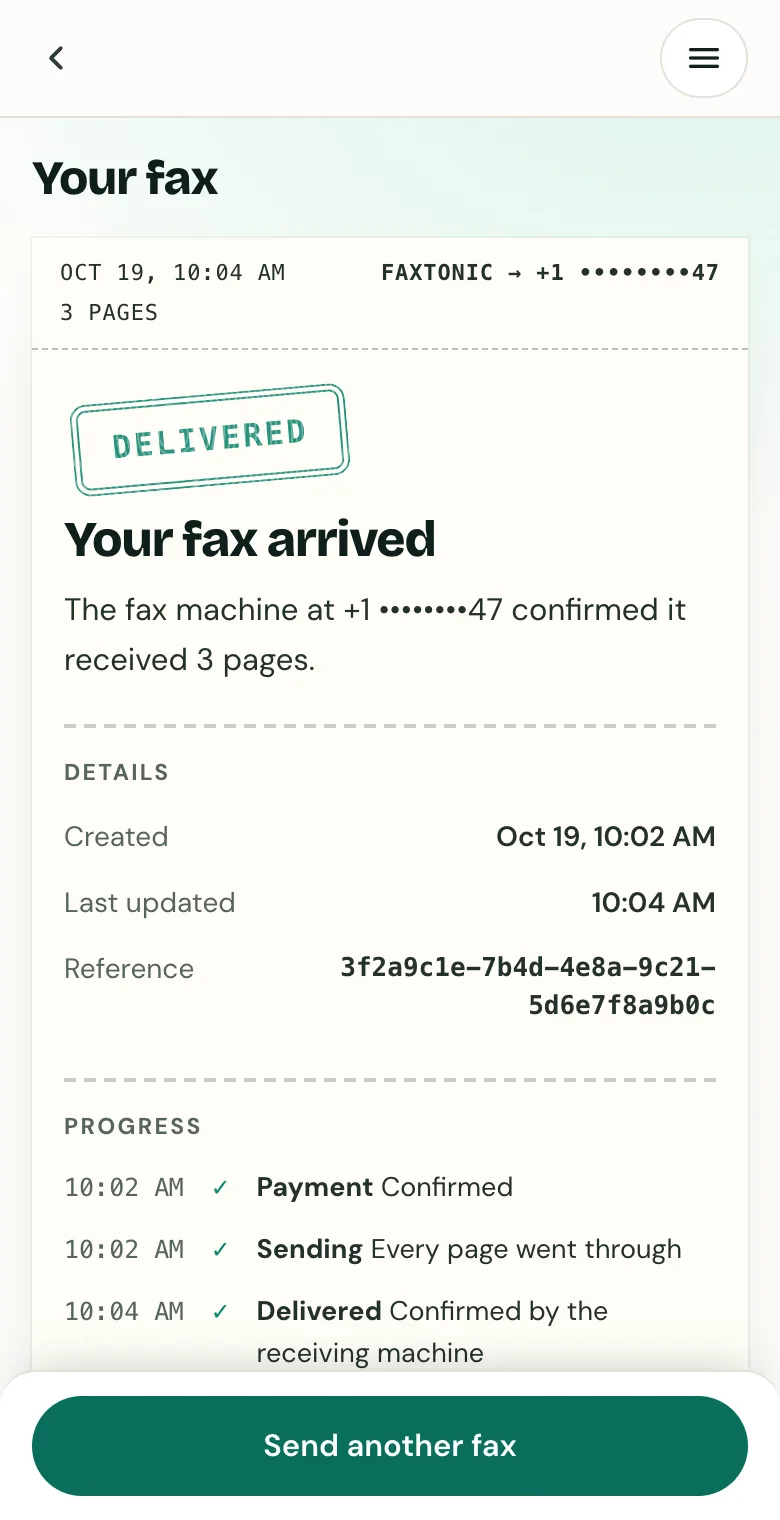
Track your fax: the status page shows when it’s delivered.
Official sources
- HHSC: Form H1010-R, Your Texas Benefits Renewal Form (PDF)
- HHSC: Form H1010, Texas Works Application for Assistance, instructions
- HHSC: sample Form H1020, Request for Information or Action (PDF)
- Texas Works Handbook: A-110, Application Procedures
- Texas Works Handbook: A-120, Office Procedures (A-122, Filing the Application)
- Texas Works Handbook: B-620, Reporting Requirements (B-623, How to Report)
- Texas HHS: Contact us (help with benefits)
FaxTonic is an independent fax service. It isn’t affiliated with or endorsed by any agency, insurer, court or company named in this guide. Fax numbers and rules change: when a letter or form gives you a fax number, use that one.