



On this page
The three appeal steps
| Step | What it is | Deadline | Fax |
|---|---|---|---|
| First-level appeal | You ask ODJFS to review and reconsider its decision on your claim, called a redetermination. | 21 days from the claim decision | 1-614-466-7449 |
| Hearing request | If you disagree with ODJFS’s first-level appeal decision, you ask the UCRC, an independent agency, for a hearing. | 21 days from the first-level appeal decision | 1-614-466-7449 |
| Request for review | If you disagree with the hearing officer’s decision, you ask the UCRC to review it. | 21 days from the hearing decision | 1-614-466-7449 |
Since one number serves all three steps, say on the cover page which step you’re filing and which decision you’re appealing. ODJFS says not to ask the Commission for a hearing until you have its decision on a first-level appeal.
What to put in your appeal
ODJFS asks for a statement that explains why you disagree with the reasons for its decision, and includes the decision ID. If you appeal by fax or mail, include the claimant’s name and ID number too.
- Explain why the decision isn’t correct or doesn’t apply to you, and mention any new evidence you’re sending.
- Stick to the facts, with names and dates where you can.
- Leave out anything that doesn’t bear on the decision, such as unrelated personal history.
Evidence helps most when it answers the reason for the decision directly, comes from a firsthand or official source such as an employer, a doctor or the police, and can be checked, for example with a signature or a letterhead.
ODJFS warns that faxing ID documents darkens them, and that evidence that’s hard to read may not help your case. For an ID, upload a clear copy with an online appeal instead.
While your appeal is pending
Keep filing your weekly claims and meeting the work search requirements while any appeal is open: ODJFS repeats this at every step.
After a first-level appeal, ODJFS sends a notice saying whether it affirms, modifies or reverses its decision. After a hearing request, the UCRC sends a notice confirming it received your appeal, then a hearing notice with the date and time.
Online, by email or by mail
- Online, the fastest way according to ODJFS: in your account at unemployment.ohio.gov, choose “View Notices and Determinations”, select the decision, then “File Appeal”. You can upload documents there. Hearing requests and requests for review are filed in the same account.
- By mail: a first-level appeal goes to ODJFS, Office of Unemployment Insurance Operations, Benefit Appeals, P.O. Box 182292, Columbus, OH 43218-2292. A hearing request or a request for review goes to the UCRC, PO Box 182299, Columbus, OH 43218-2299.
- By email, for the two UCRC steps only: ReviewCommission@ucrc.ohio.gov.
How to fax an Ohio appeal with FaxTonic
- Write your appeal with the decision ID, the claimant’s name and ID number, and why you disagree. Add the evidence that answers the decision.
- Scan the pages, or photograph each one flat. FaxTonic takes PDF, JPEG, and PNG files, with up to 20 pages per fax and 4 MB once prepared for faxing.
- Upload the file to FaxTonic. On the free cover page, name the step as the subject, for example “First-level appeal” or “Request for a hearing”, and add your name and a phone number.
- Choose the United States and enter 1-614-466-7449. Check the price, $1.49 a page, and pay by card before your deadline.
- Once the fax is delivered, save a screenshot of the status page and keep it with a copy of what you sent.

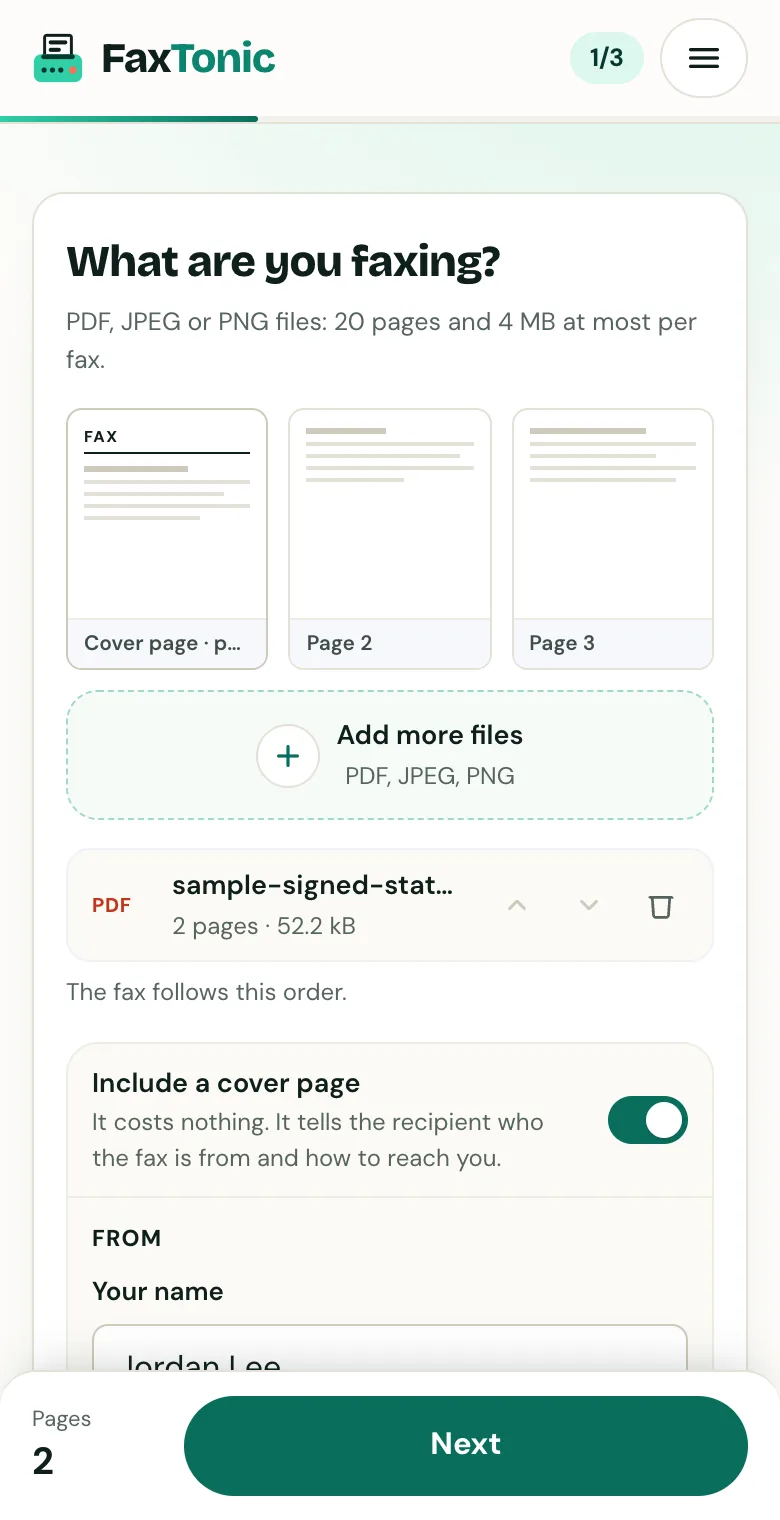
Add your file. The cover page is free, and you can turn it off.
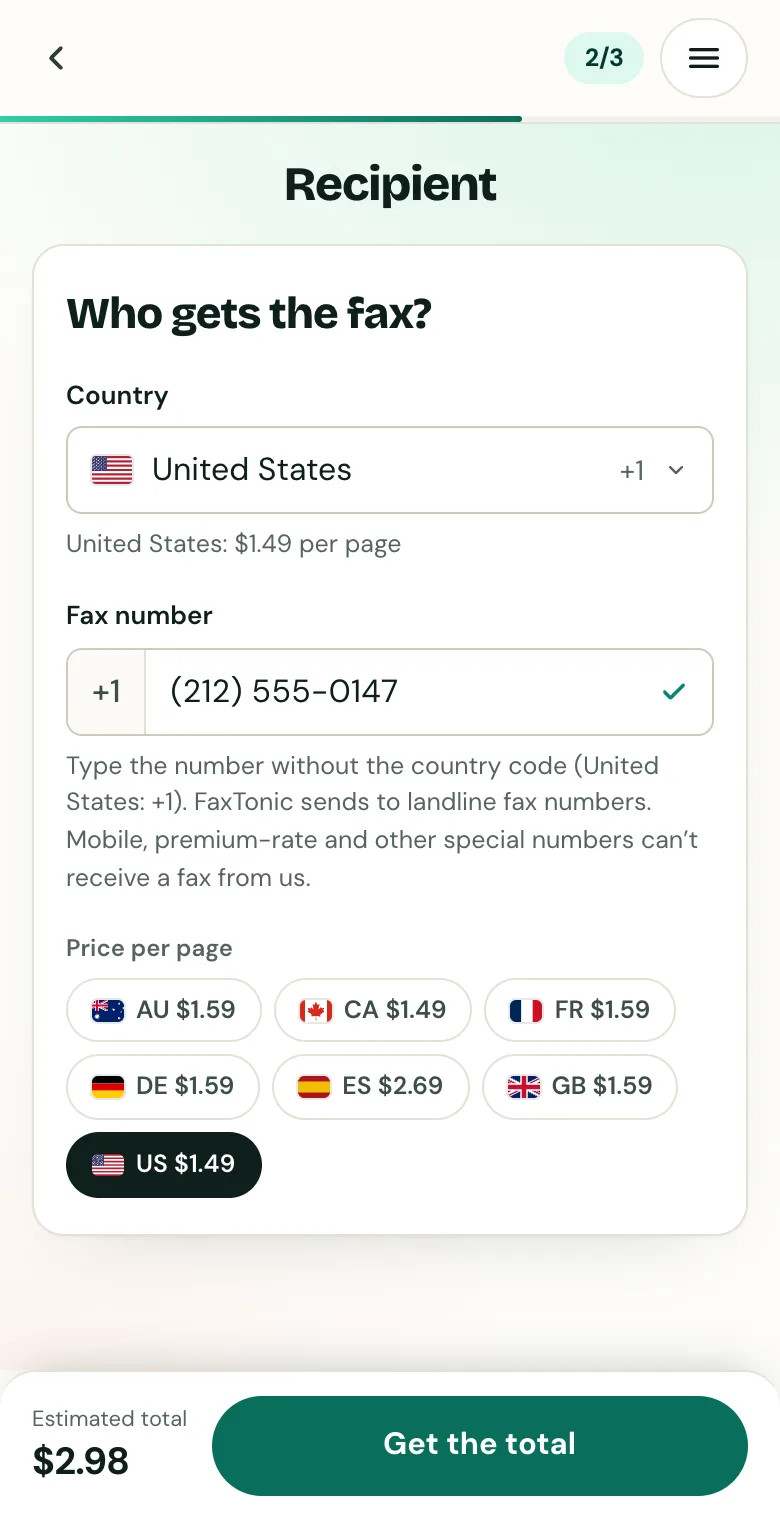
Pick the country and type the fax number.
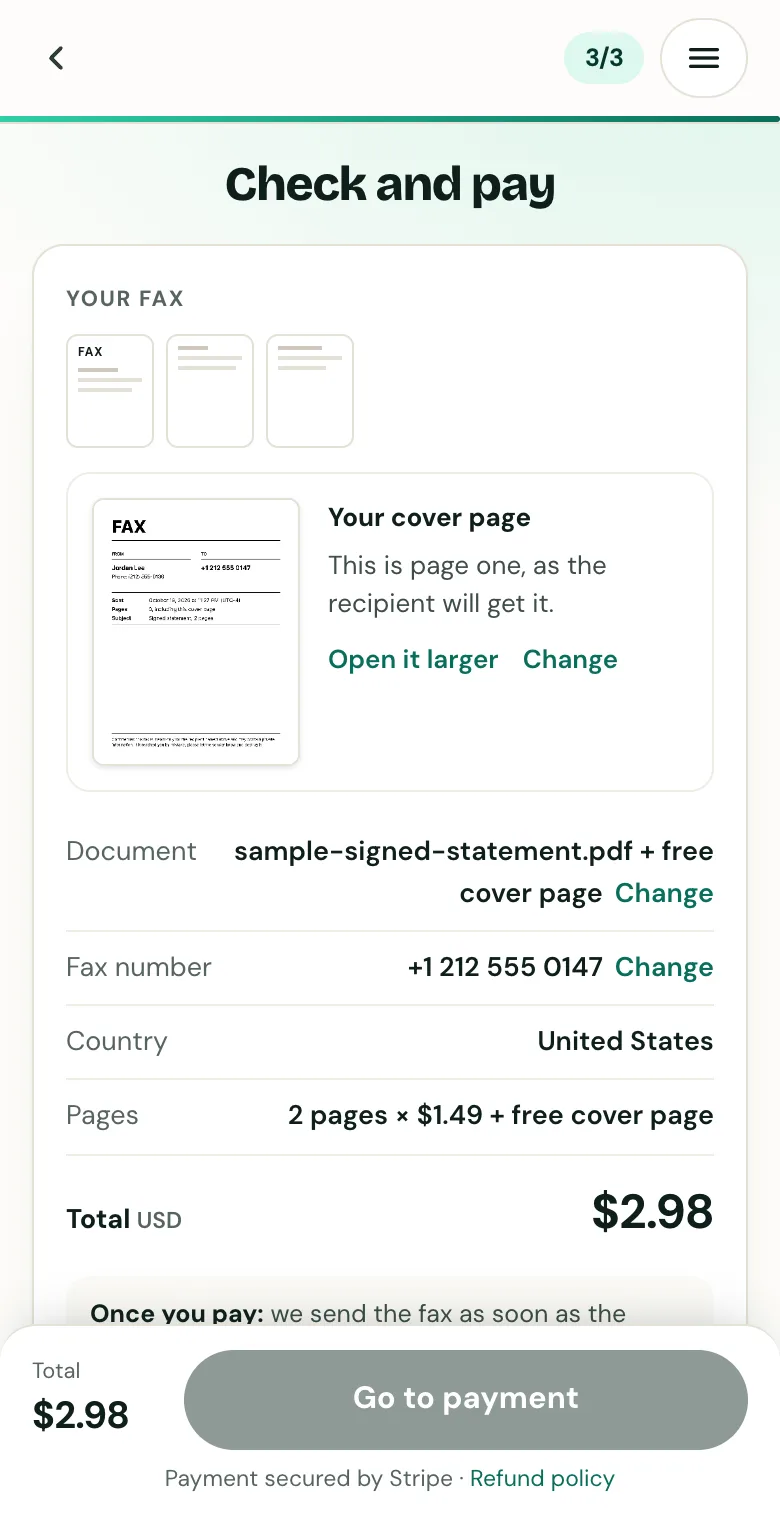
Check the cover page, the number and the total before you pay.
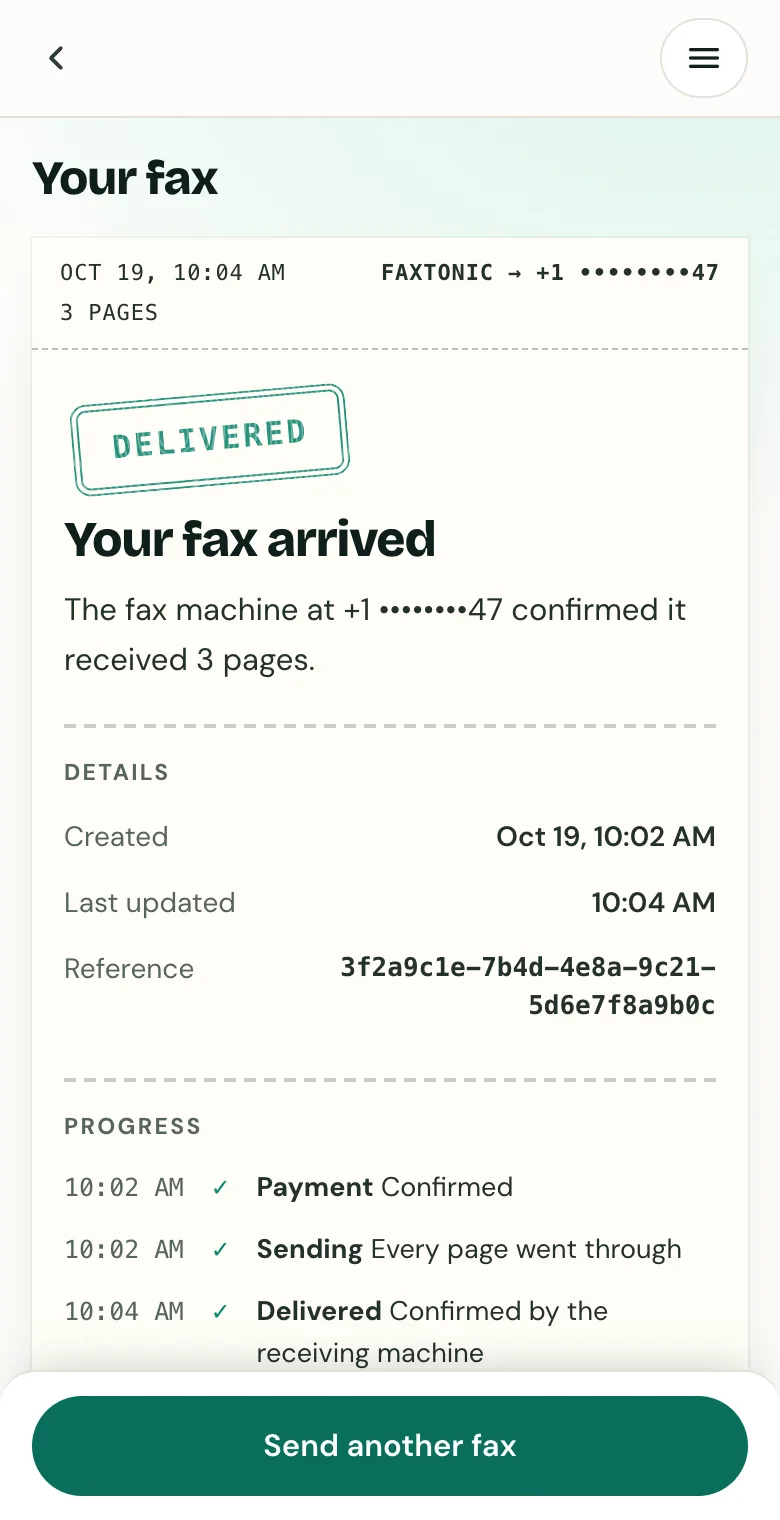
Track your fax: the status page shows when it’s delivered.
Official sources
FaxTonic is an independent fax service. It isn’t affiliated with or endorsed by any agency, insurer, court or company named in this guide. Fax numbers and rules change: when a letter or form gives you a fax number, use that one.