



On this page
What the status page tells you
Every fax you pay for has a status page. It shows where the fax stands:
- Sending: FaxTonic is dialing the fax machine. A short fax usually takes a minute or two.
- Delivered: the receiving fax machine confirmed it got the pages, and the page shows how many.
- Not delivered: the fax didn’t go through, and the refund is under way.
- Refunded: the refund has gone back to your card, and the page shows the amount.
The status page doesn’t say why a fax failed. Common reasons are a busy line, no answer, a person or a voicemail answering instead of a fax machine, or a call that dropped before every page went through.
Numbers FaxTonic refuses before you pay
FaxTonic checks the number before you pay and refuses some numbers, with a message under the number:
- “That’s a mobile number, and mobile phones can’t receive faxes.” FaxTonic recognizes mobile numbers in the United Kingdom, France, Germany, Spain and Australia. In the United States and Canada, a cell phone number looks like any other, so FaxTonic can’t tell: see can you fax a cell phone?
- “Premium-rate numbers can’t receive a fax from us.” Shared-cost and personal numbers are refused the same way.
- “This number seems to be missing digits for the country you picked”, followed by the country, or “This isn’t a fax number we recognize.” Check the digits and the country you chose. FaxTonic sends to these countries: United States, Canada, United Kingdom, France, Germany, Australia, and Spain.
What to check before you send it again
- The number: take it from the recipient’s letter, form or website rather than from an old document, and check every digit. An office’s fax number is usually not its phone number.
- That a fax machine answers: call the number from a phone. A fax machine set to answer on its own picks up with a high-pitched tone. If a person or a voicemail answers, the number may not be a fax line, or the fax machine may share the line with a phone and not be set to answer by itself. Ask the recipient which number to use.
- The recipient’s machine: ask whether it’s switched on, has paper, isn’t out of memory, and isn’t set to reject faxes from numbers it doesn’t know. A machine that has run out of paper may keep faxes in memory until that fills up, and then stop taking them.
- A busy line: an office fax line can be busy for a while. Try again later in the day.
- The recipient’s phone line: a fax machine connected through an internet phone service doesn’t always receive faxes reliably. If faxes to the same number keep failing, ask the recipient for another fax number or another way to send the document.
Then check your document, so the next fax doesn’t fail for a different reason: see how to prepare a document for fax.
Delivered, but the recipient can’t find it
FaxTonic marks a fax as delivered only when the receiving machine confirms it got the pages. If the recipient says it never arrived:
- Check the number: for 30 days, the status page shows the country code and the last two digits of the number the fax went to. Compare them with the number you meant to fax.
- Give them the details: the number of pages and the time FaxTonic recorded the delivery, both on the status page, help them find it.
- Ask where faxes go: an office can have several fax machines, and some organizations receive faxes as email, where a fax can end up in another inbox.
A delivered fax isn’t refunded, even if it went to the wrong number. FaxTonic doesn’t issue a transmission report: once the fax shows as delivered, take a screenshot of the status page, and note the full number you faxed.
What you get back
Refunds are automatic and go back to the card you paid with:
- The full amount if our fax provider refuses the fax when we hand it over, before accepting it for sending.
- The price minus a fee of $0.30 + 2.9% once our provider has accepted the fax, whatever the reason it isn’t delivered.
Depending on your bank, a refund can take a few business days to show up. The refund policy has the details. Sending the fax again is a new fax, paid separately.
Send it again with FaxTonic
- Check the number with the recipient, and that a fax machine answers on it.
- Open FaxTonic and add your file again. The cover page is free.
- Choose the country and type the fax number.
- Check the total, $1.49 a page to the United States, and pay by card.
- Follow the fax on its status page until the receiving machine confirms it.
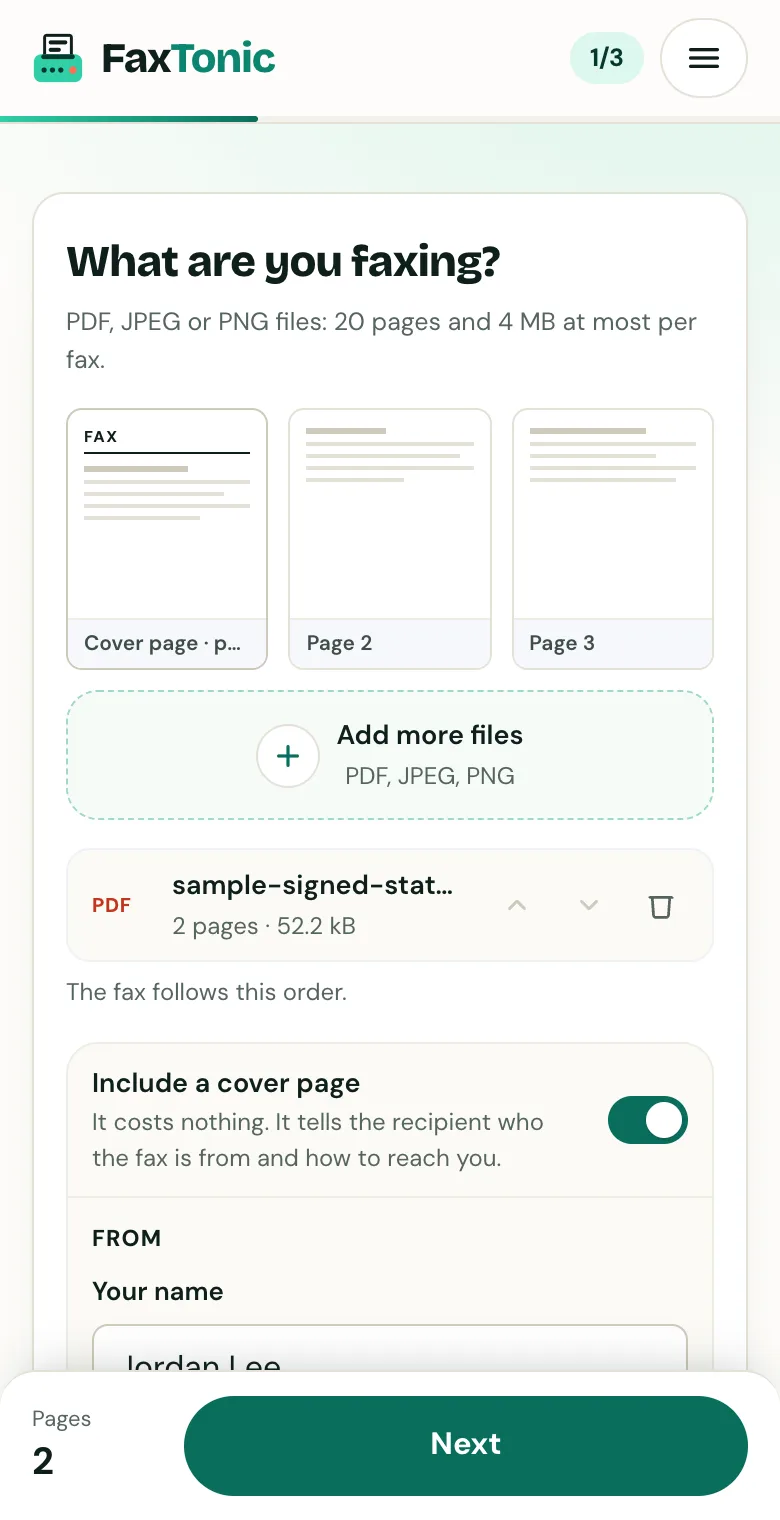
Add your file. The cover page is free, and you can turn it off.
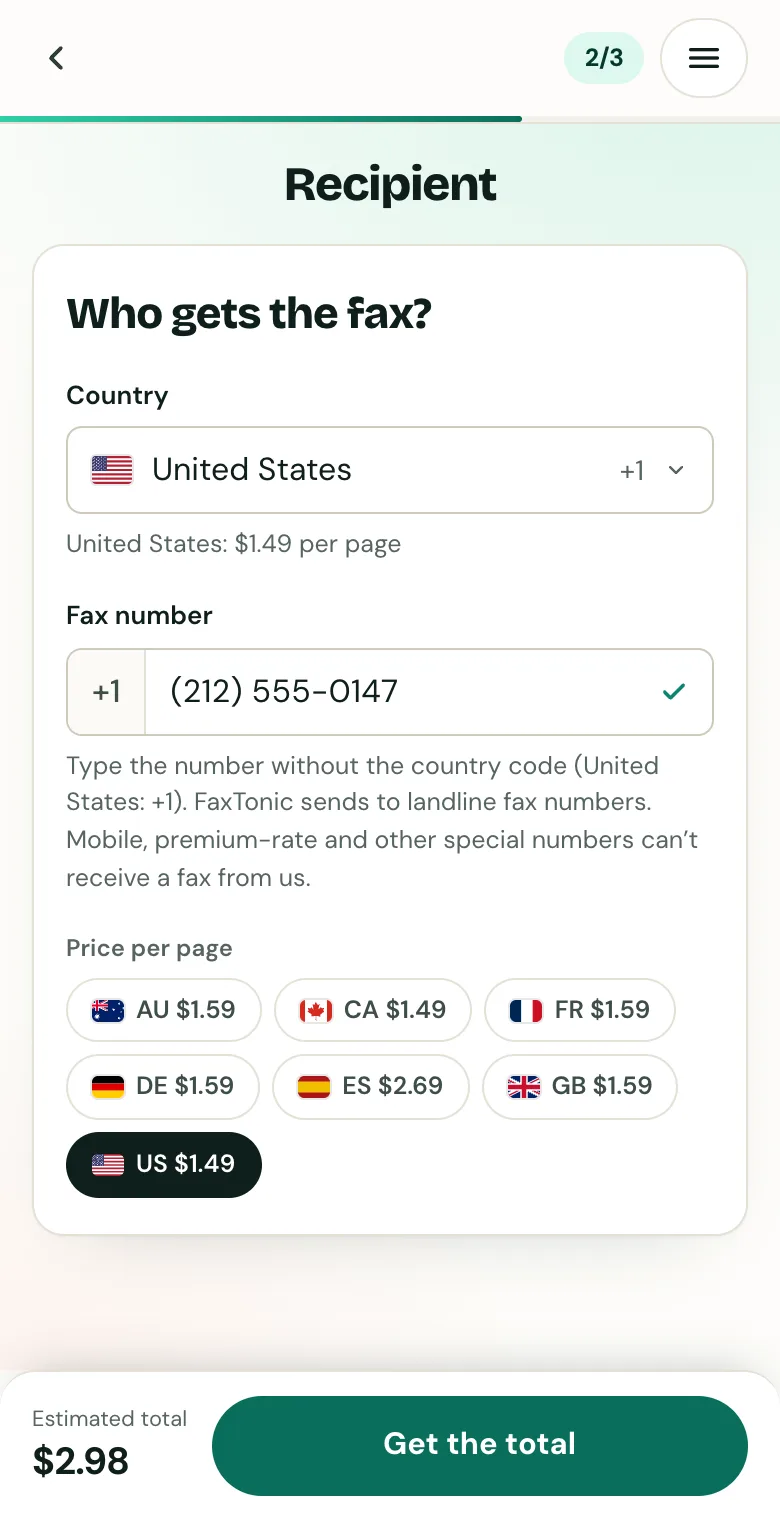
Pick the country and type the fax number.
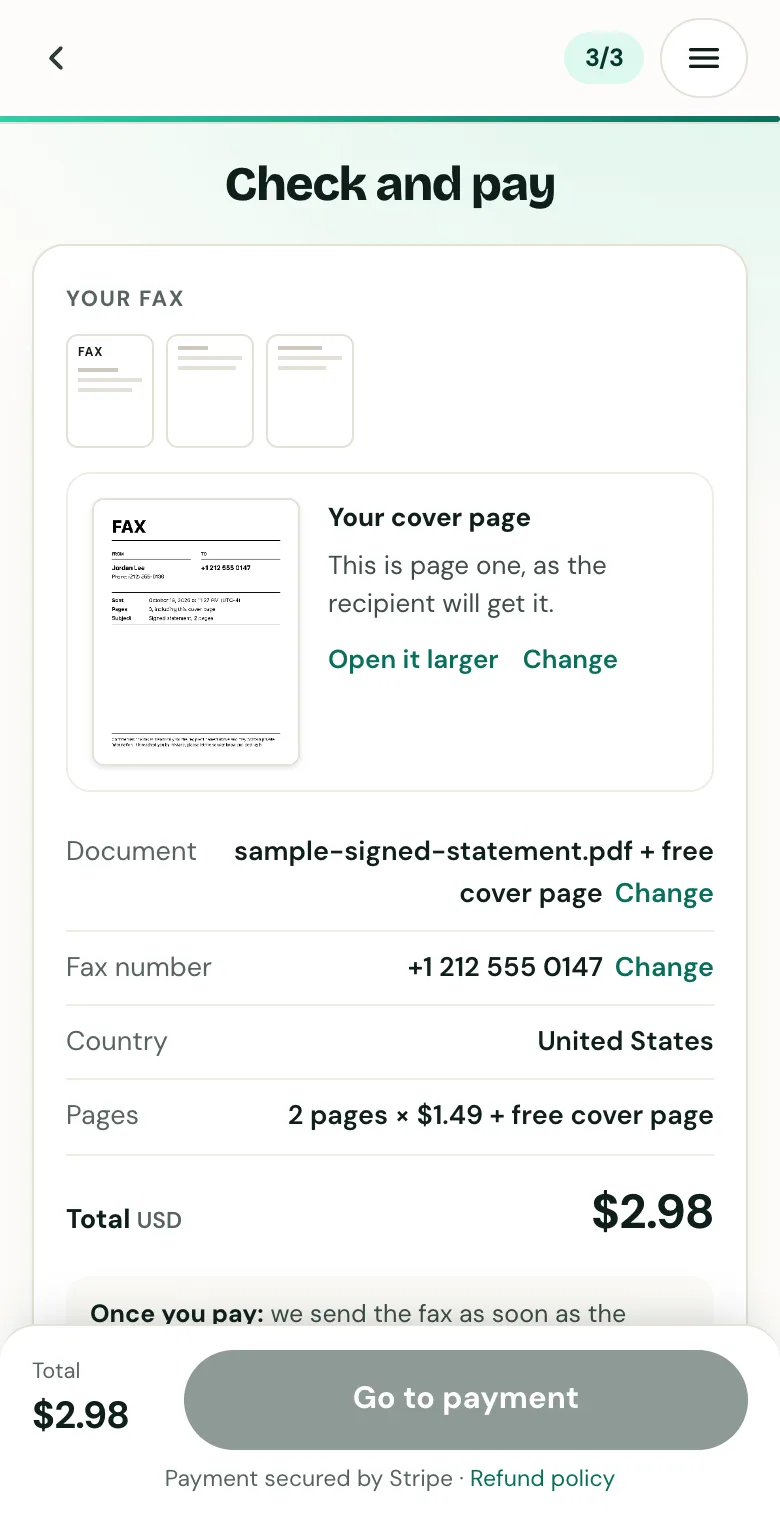
Check the cover page, the number and the total before you pay.
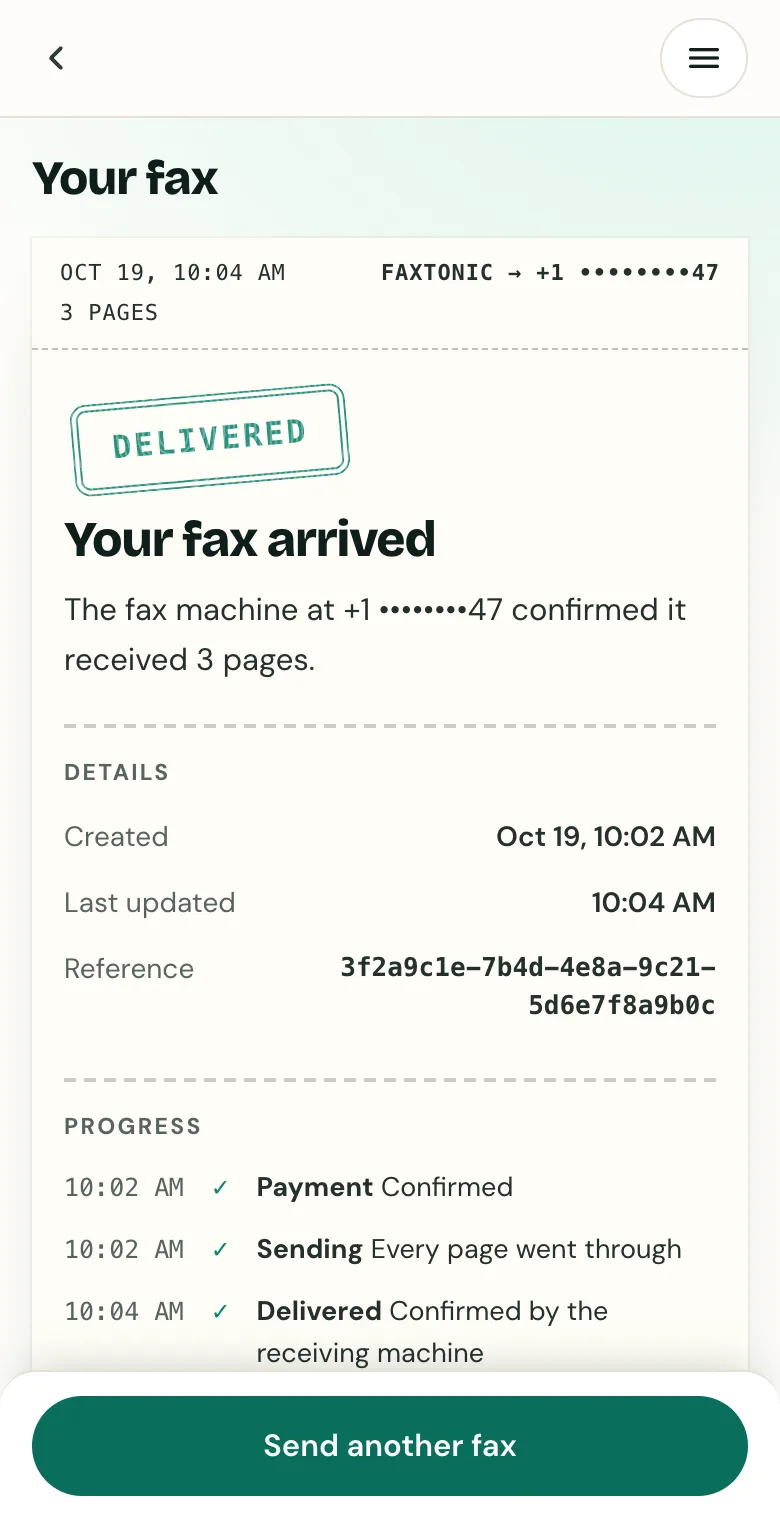
Follow your fax: the status page shows when it’s delivered.
Official sources
- ITU-T T.30: procedures for fax transmission (the 2100 Hz answer tone)
- Brother: check that a number answers with fax tones
- Brother: manual receive mode doesn’t answer the line automatically
- Canon: cannot receive a fax (memory full, memory reception without paper)
- Epson: problems sending and receiving faxes (inbox full, receive mode)
- FCC: Technology transitions (check that fax machines work on a new network)
- GOV.UK: The UK transition from analogue to digital landlines
- Brother: faxing over VoIP lines
- Microsoft: Fax Server can forward received faxes to an email address (archived)
FaxTonic is an independent fax service. It isn’t affiliated with or endorsed by any agency, insurer, court or company named in this guide. Fax numbers and rules change: when a letter or form gives you a fax number, use that one.