


On this page
Why a cell phone can’t receive a fax
A fax travels as tones over a phone call. At the other end, a fax machine, or a service that answers like one, turns those tones back into pages. When a fax call reaches a cell phone, nothing on the line can answer as a fax, so the fax fails.
Some apps give you a fax number that forwards incoming faxes to your phone. That number is a fax number, not your cell number: the sender has to use the fax number.
How to tell if a number is a fax number
- Look for the label: on a letter, a form or a website, the fax number is usually marked “Fax” and listed apart from the phone number.
- If you’re not sure, ask the recipient, or check their official page, rather than guessing from the digits.
- If you call the number from a phone, a fax machine answers with high-pitched tones instead of a voice or voicemail.
What FaxTonic checks before you pay
FaxTonic checks the number before you pay. It refuses numbers that can’t receive a fax or that bill the caller extra: mobile numbers in the United Kingdom, France, Germany, Spain and Australia, and premium-rate, shared-cost and personal numbers.
In the United States and Canada, it can’t tell a cell number from a landline. Both use the same area codes, and a landline number can be moved to a wireless carrier, so a US or Canadian cell number passes the check.
If the number doesn’t answer as a fax, the fax fails and the refund goes back to your card automatically: the price minus a fee of $0.30 + 2.9%, or all of it if our fax provider refused the fax when we submitted it. See the refund policy.
If you only have a cell number
Ask the recipient for a fax number, or for another way to send the document, such as email, an upload page or mail. A fax can’t reach a cell phone, whatever service you use.
For numbers outside the United States, see how to send an international fax from the US.
Send a fax with FaxTonic
- Make sure you have the recipient’s fax number.
- Open FaxTonic and add your document, as a PDF, JPEG, and PNG file. The cover page is free.
- Choose the country and type the fax number.
- Check the total, $1.49 a page to the United States, and pay by card.
- Follow the fax on its status page until the receiving machine confirms it.
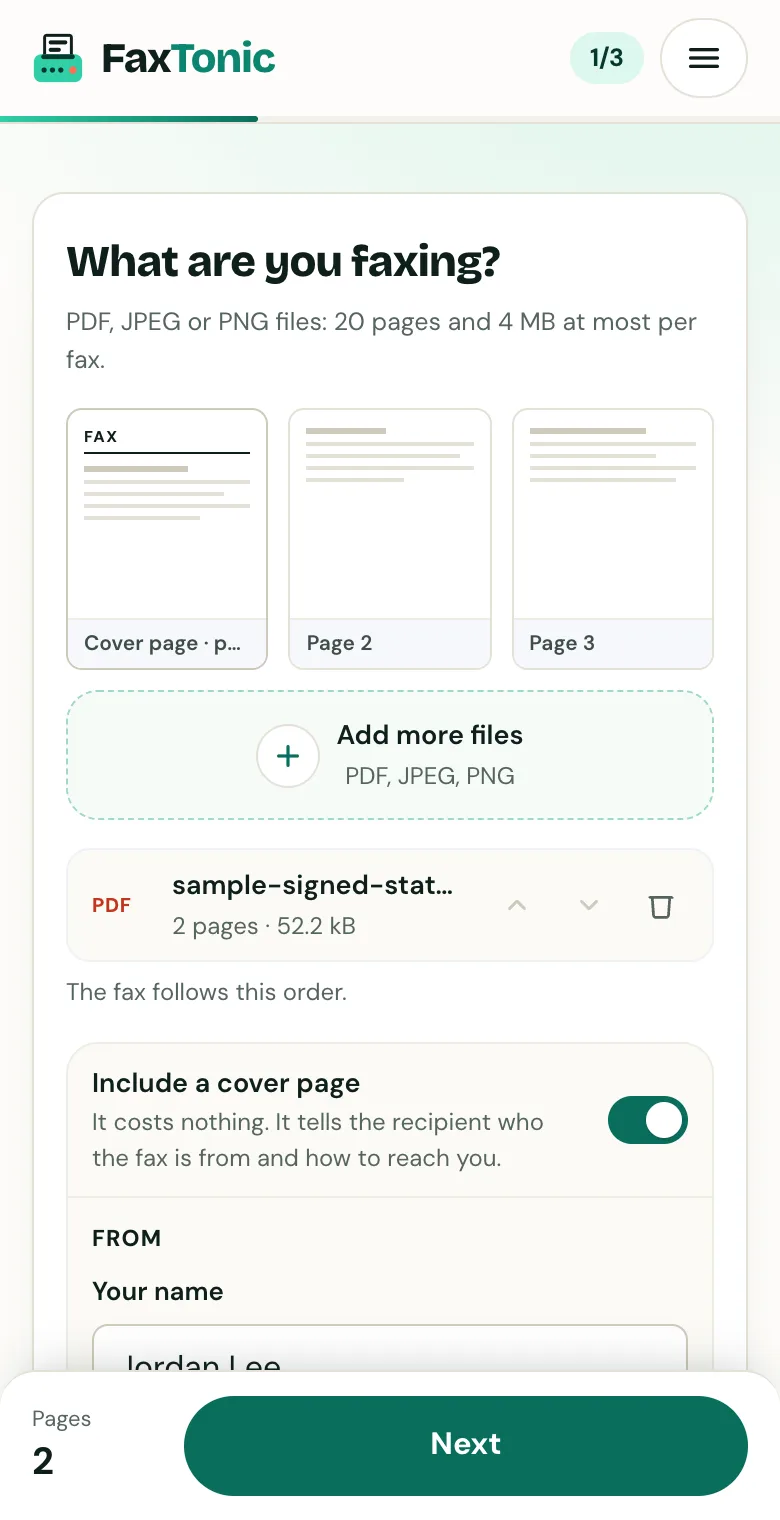
Add your file. The cover page is free, and you can turn it off.
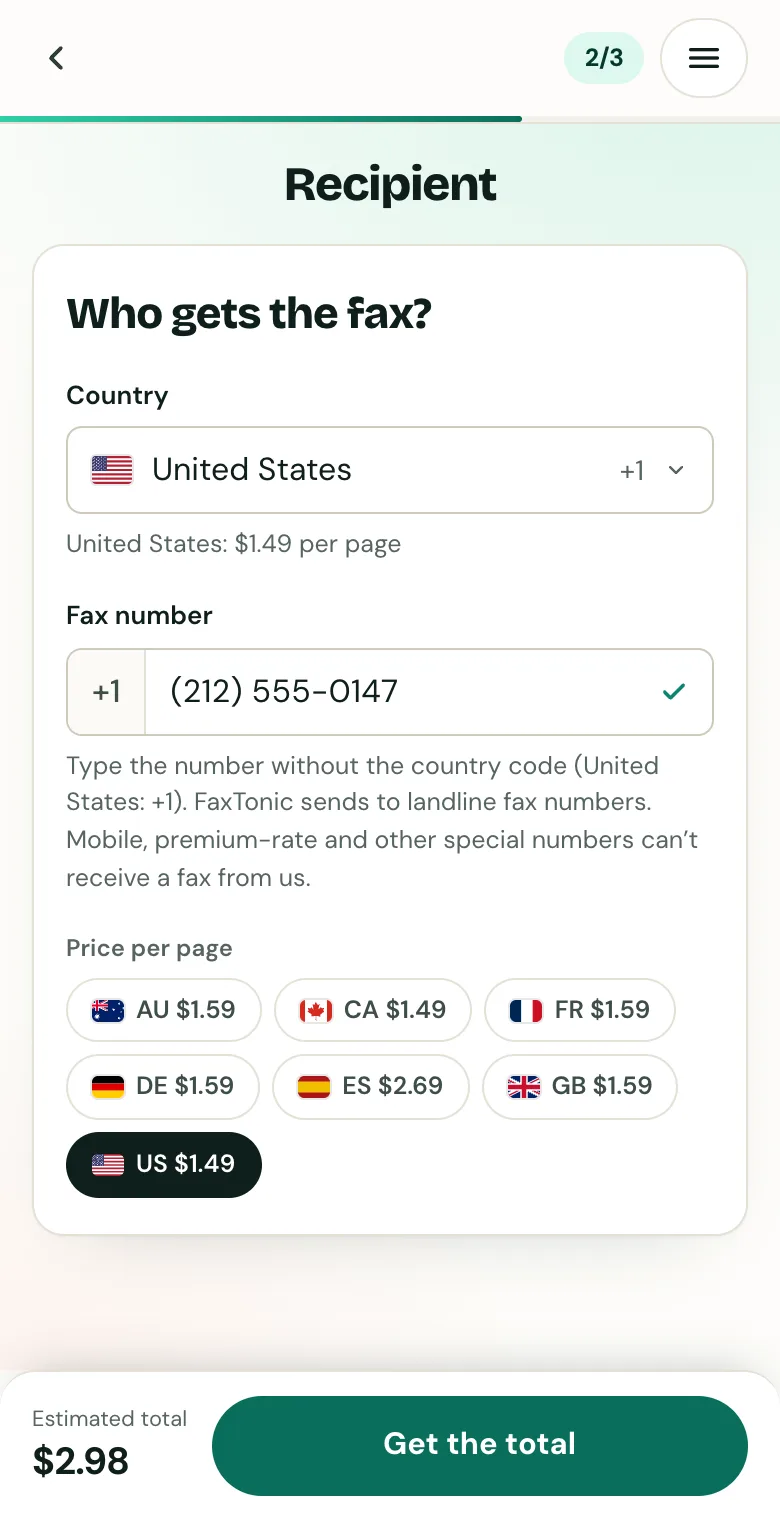
Pick the country and type the fax number.
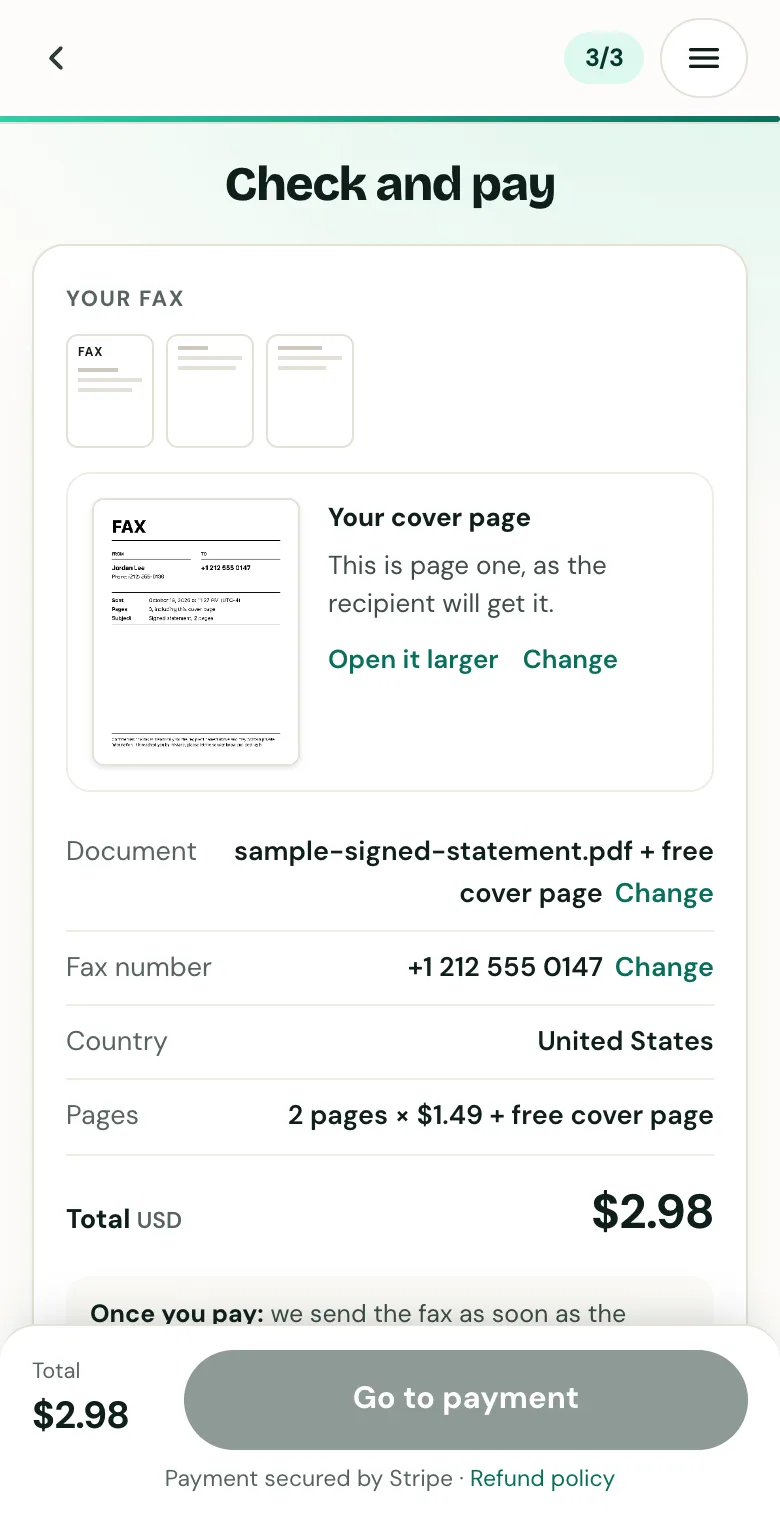
Check the cover page, the number and the total before you pay.
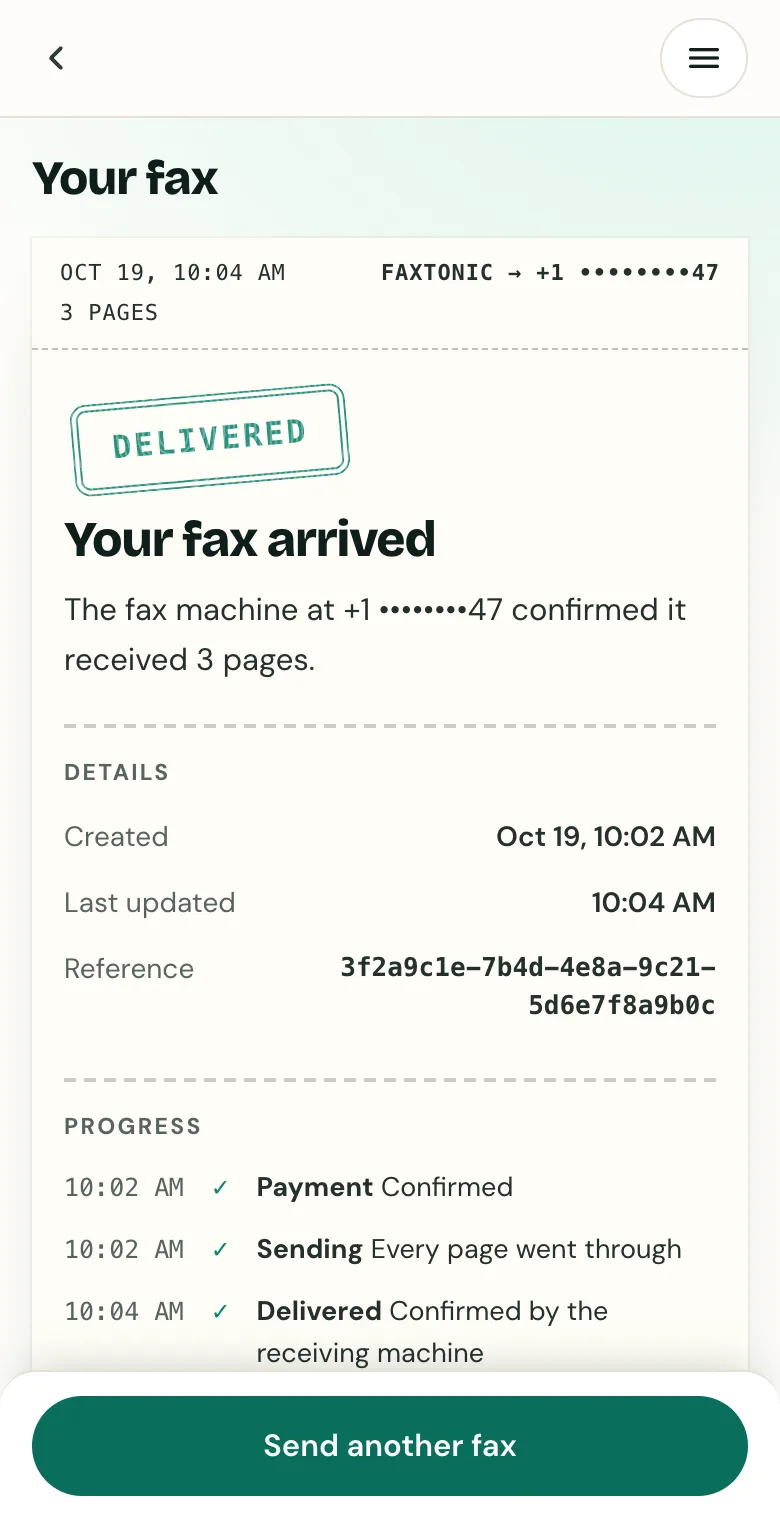
Follow your fax: the status page shows when it’s delivered.
Official sources
- FCC: Numbering resource utilization in the United States (wireless carriers use geographic numbers)
- FCC 03-153: porting landline numbers to wireless carriers
- NANPA: About the North American Numbering Plan
FaxTonic is an independent fax service. It isn’t affiliated with or endorsed by any agency, insurer, court or company named in this guide. Fax numbers and rules change: when a letter or form gives you a fax number, use that one.