On this page
What Form 6166 is for
Form 6166 is for claiming benefits under an income tax treaty, or an exemption from value-added tax (VAT) in another country. It isn’t proof that US tax was paid, so it can’t back up a foreign tax credit. The IRS says Form 8802 is mandatory to request it.
Step one: pay the user fee online
Form 8802 can be faxed only when the user fee has been paid electronically. An application paid by check or money order must be mailed instead.
- Pay on Pay.gov: search for “IRS Certs”. Pay.gov asks you to upload a copy of your Form 8802, but that copy is only used to match your payment. The IRS doesn’t process applications uploaded there.
- Write the e-payment confirmation number on page 1 of Form 8802. Either the Agency Tracking ID or the Pay.gov ID works. Without it, the IRS won’t process the application.
- Then fax the form and its attachments, as described below.
The fee is charged per application. Since 1 October 2026 it is 105 US dollars for an individual and 230 US dollars for any other applicant, according to the IRS’s fee fact sheet. The instructions for Form 8802 still show the older amounts, so go by the fact sheet. The IRS says user fees are generally non-refundable.
Fax numbers and the cover sheet
| Fax number | Use it |
|---|---|
| 877-824-9110 | From inside the United States only (toll-free) |
| 304-707-9792 | From inside or outside the United States (not toll-free) |
The instructions allow up to 10 Forms 8802 with their attachments in one transmission, and 100 pages at most. Each fax must open with a cover sheet that gives its page count.
FaxTonic’s free cover page prints the page count, cover page included, so keep it on, and add “Form 8802” and the applicant’s name to the subject. A FaxTonic fax can have up to 20 pages in all, fewer than the IRS allows.
Signatures and attachments
Someone with authority must sign and date the application, or the IRS doesn’t treat it as complete. The instructions list who that is:
- An individual signs their own application, and both spouses sign for a married couple.
- A corporation: a corporate officer authorized to bind it, such as the president or treasurer.
- A partnership: a partner authorized to act for it, who certifies that authority.
- A trust or an estate: the fiduciary, or the executor or administrator.
A third party who signs for the applicant must attach proof of authority, such as Form 2848. Form 8821 can’t authorize someone to sign Form 8802. The instructions say Form 8802 itself may be signed digitally, but an attached Form 2848 or 8821 can’t.
Use a street address: the IRS may deny certification when the application gives a P.O. box or a “care of” address. Other attachments depend on who’s applying, so check the instructions for your case.
Timing and delivery
The instructions ask you to apply at least 45 days before you need Form 6166, and say the IRS contacts you after 30 days if there’s a delay. You can’t apply for the current year’s certification before December 1 of the year before. On 19 October 2026, the IRS’s processing-status page showed it working on applications received in August 2026.
Form 6166 is mailed, to the address on line 2 or to the one on line 3a if you give it, and it can go to a foreign address. For express delivery, the instructions ask for a prepaid label and envelope: DHL abroad, or UPS or FedEx inside the United States.
Line 3b asks for a phone or fax number for any third-party appointee, so the IRS can ask questions. FaxTonic can’t receive faxes: give a phone number there, or a fax number that receives.
Applying online instead
Since 28 September 2025, individuals can fill in Form 8802 as an online form on irs.gov, with an IRS Online Account. The IRS says it isn’t available for businesses and other entities yet, so they fax or mail.
How to fax Form 8802 with FaxTonic
- Pay the user fee on Pay.gov and write the confirmation number on page 1.
- Sign the application and gather the attachments for your type of applicant. Scan or save them as one file: FaxTonic takes PDF, JPEG, and PNG files, up to 4 MB once prepared for faxing.
- Open FaxTonic, add the file and keep the free cover page on, with “Form 8802” and the applicant’s name in the subject.
- Choose the United States and enter 877-824-9110 or 304-707-9792. The price shows before you pay: $1.49 a page.
- Pay by card and save a screenshot of the status page once the fax is delivered.
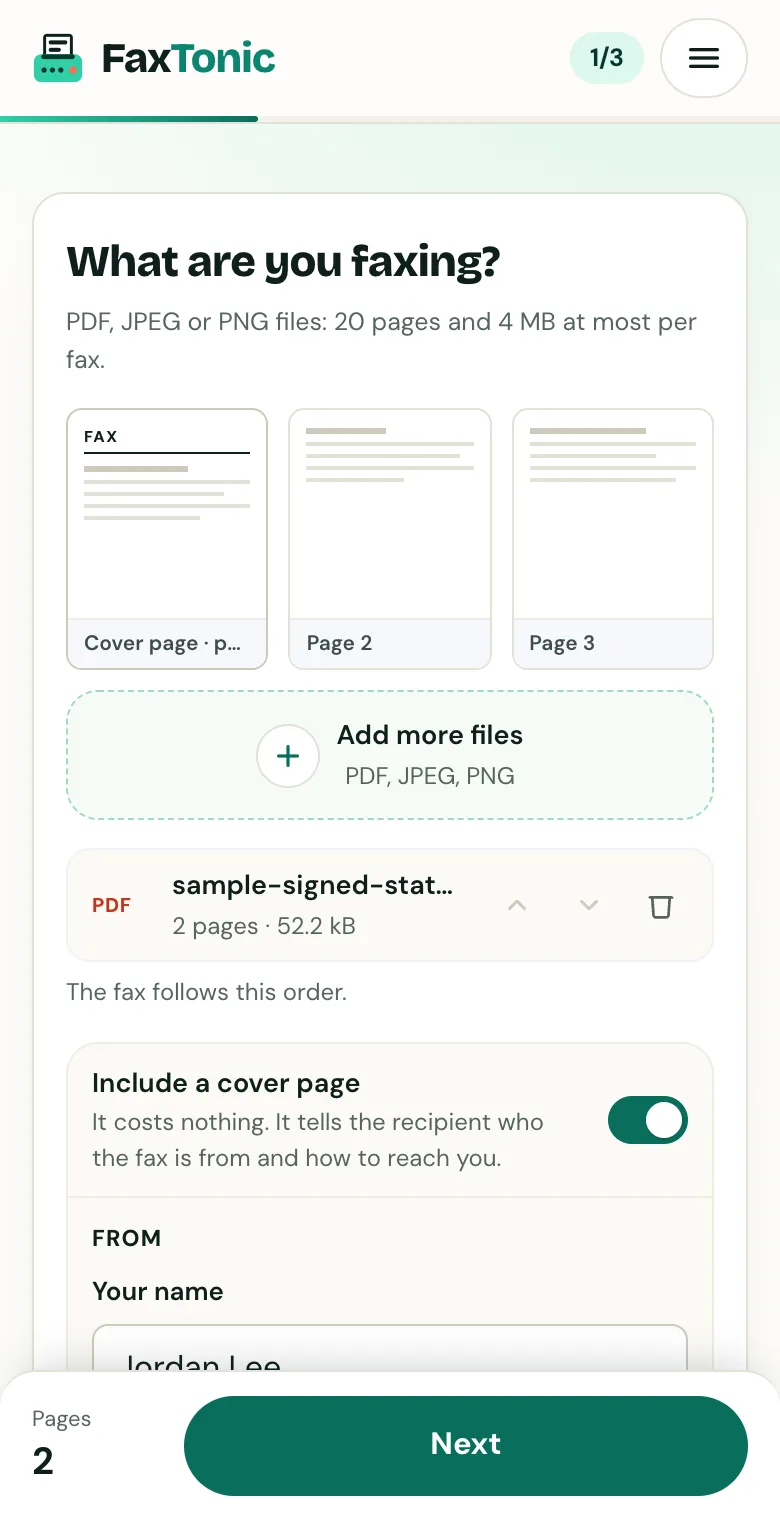
Add your file. The cover page is free, and you can turn it off.
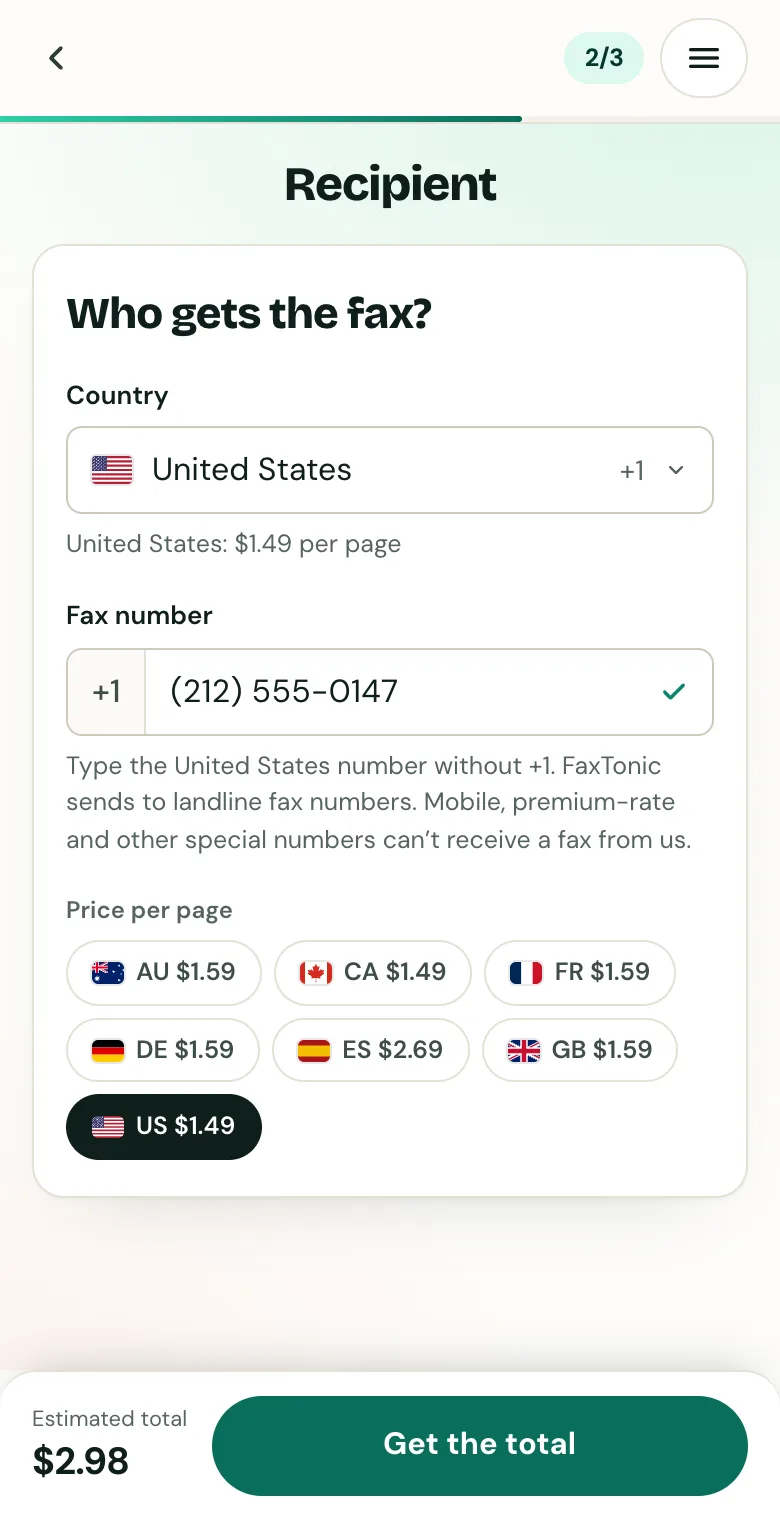
Pick the country and type the fax number.
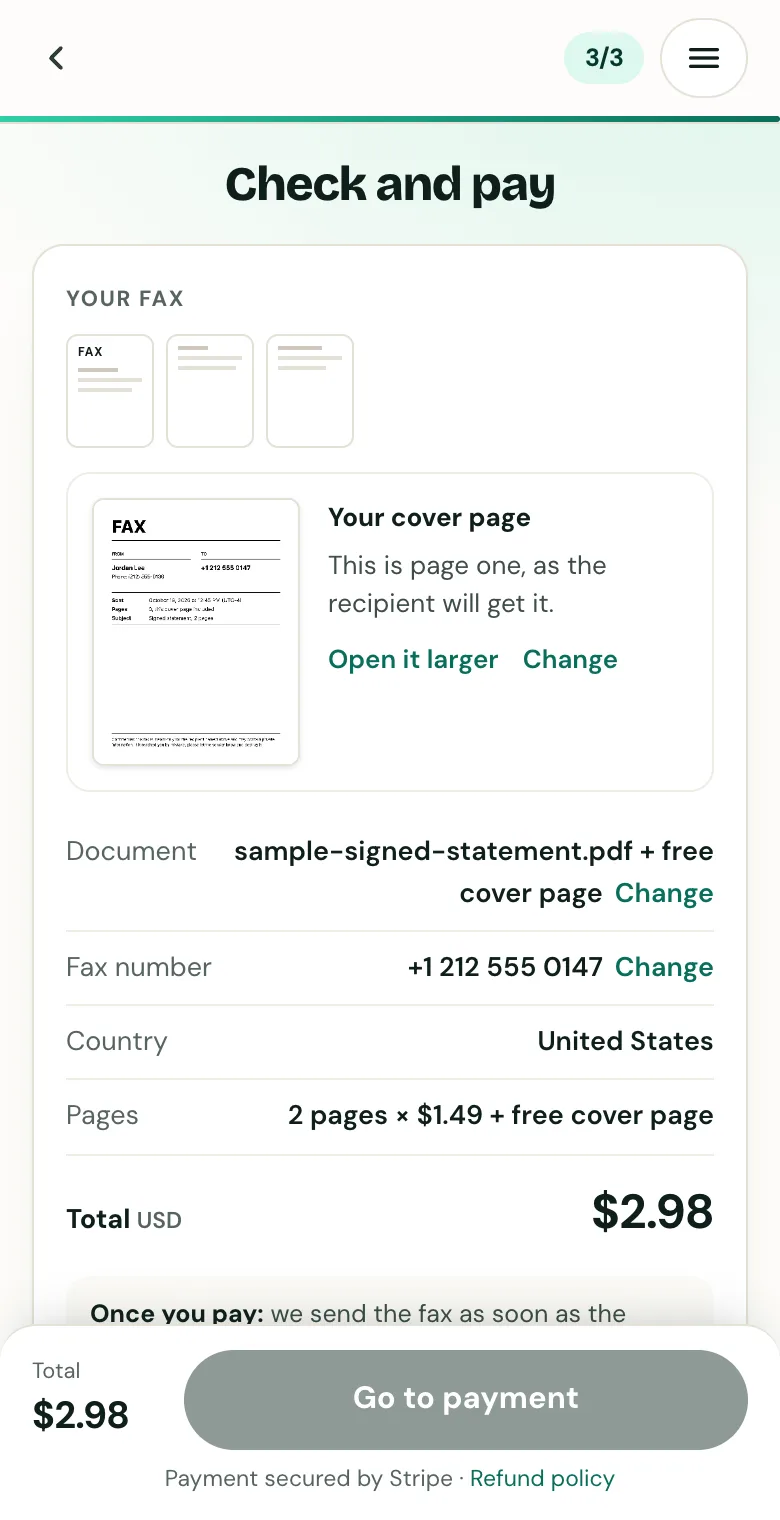
Check the cover page, the number and the total before you pay.
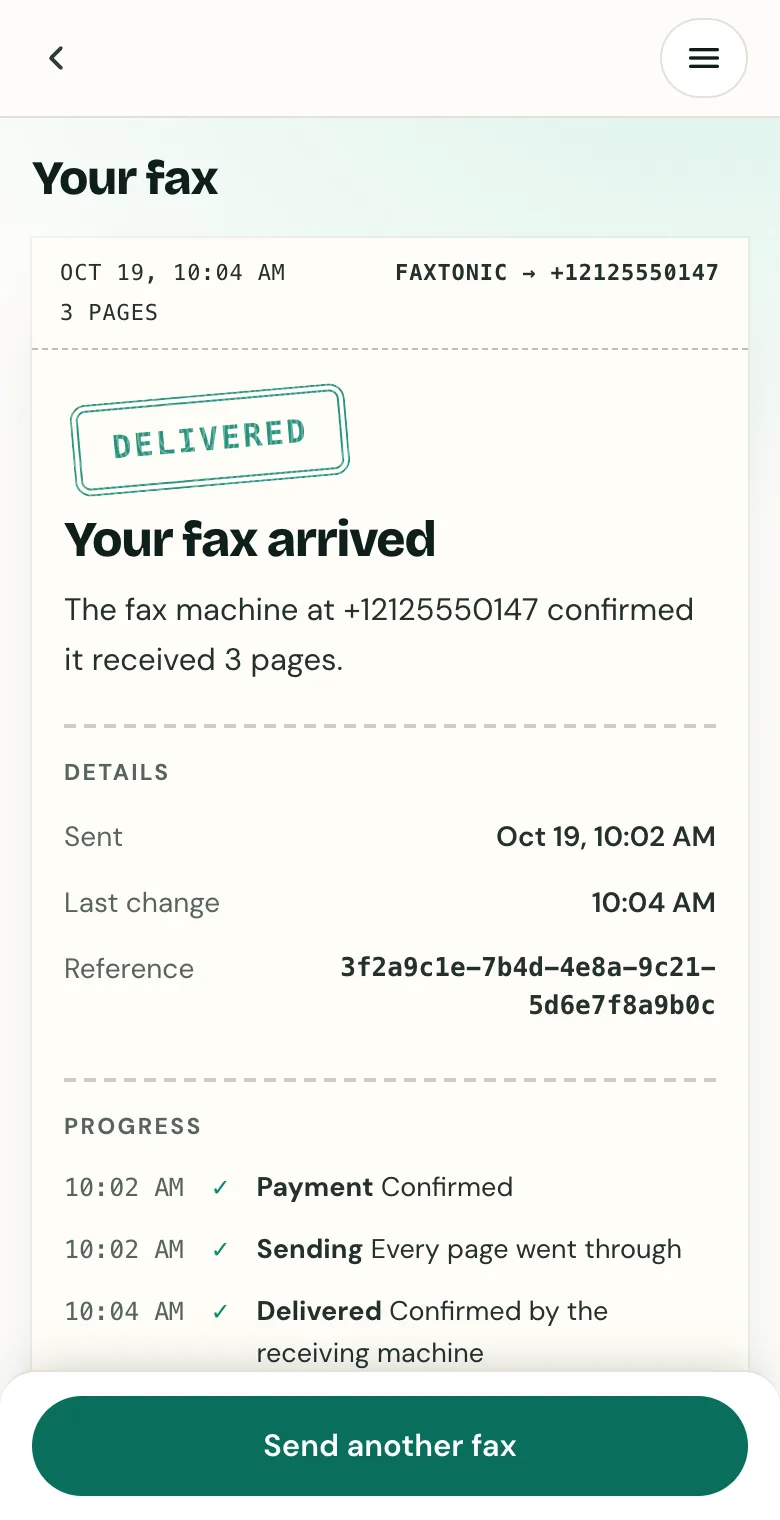
Follow your fax: the status page shows when it’s delivered.
Official sources
- IRS: Instructions for Form 8802
- IRS: Form 8802 (PDF)
- IRS: About Form 8802
- IRS: Form 8802 user fee fact sheet
- IRS: Form 6166, certification of US tax residency
- IRS: Processing status for tax forms
- IRS: Mobile-friendly forms
- Internal Revenue Manual 21.8.4, US residency certification
FaxTonic is an independent fax service. It isn’t affiliated with or endorsed by any agency, insurer, court or company named in this guide. Fax numbers and rules change: when a letter or form gives you a fax number, use that one.