On this page
Form 8821 or Form 2848?
Form 8821 lets your designee inspect or receive your confidential tax information, by phone or in writing, for the taxes and years you list. It doesn’t let them speak for you, argue your case, sign agreements or represent you in any other way: that takes a power of attorney on Form 2848, given to someone eligible to practice before the IRS.
Your designee can be any individual, company, firm, organization or partnership. The form isn’t for getting copies of your own returns: for those, the IRS points you to its transcript services or to Form 4506-T.
Where to fax Form 8821
Form 8821 uses the same chart as Form 2848, based on where the taxpayer lives:
| Fax number | If the taxpayer lives in |
|---|---|
| 855-214-7519 (Memphis) | Alabama, Arkansas, Connecticut, Delaware, the District of Columbia, Florida, Georgia, Illinois, Indiana, Kentucky, Louisiana, Maine, Maryland, Massachusetts, Michigan, Mississippi, New Hampshire, New Jersey, New York, North Carolina, Ohio, Pennsylvania, Rhode Island, South Carolina, Tennessee, Vermont, Virginia or West Virginia |
| 855-214-7522 (Ogden) | Alaska, Arizona, California, Colorado, Hawaii, Idaho, Iowa, Kansas, Minnesota, Missouri, Montana, Nebraska, Nevada, New Mexico, North Dakota, Oklahoma, Oregon, South Dakota, Texas, Utah, Washington, Wisconsin or Wyoming |
| 855-772-3156 (Philadelphia) | A US territory, an APO or FPO address, or another country. The IRS also lists 304-707-9785 for faxes sent from outside the United States. |
Line 4 changes the destination. Some authorizations are for a specific use that the IRS doesn’t record on its Centralized Authorization File, such as a disclosure to a lender or a school, or questions about a particular form like Form SS-4. Tick line 4 for those, and don’t send them to the numbers above: the designee faxes or mails the form to the IRS office handling the matter, or brings a copy to each appointment.
Deadlines and signatures
- The 120-day rule. When the authorization is for something other than a tax matter with the IRS, such as income verification for a lender, the IRS must receive the form within 120 days of the date you signed it. A form for help with a tax matter has no such limit.
- Ink only by fax. As with Form 2848, a faxed or mailed Form 8821 needs a signature written by hand on paper. Typed, drawn, pasted or software signatures are accepted only through the IRS’s online upload.
- Only the taxpayer signs. The designee doesn’t sign Form 8821. Spouses who filed jointly each sign their own form.
- For a business, a corporate officer with authority to bind the corporation can sign, among others the instructions list. For a partnership, any person who was a partner during part of the period covered can sign.
Before you send it
- Name the years. Line 3 needs the type of tax, the form number and the years or periods. The IRS returns forms with general entries such as “all years”, and records future years only up to three years after December 31 of the year it receives the form.
- Check the taxpayer number. An incorrect SSN or EIN is one of the rejection reasons the IRS lists.
- Decide about older authorizations. Unless line 4 is ticked, a new Form 8821 revokes all earlier tax information authorizations on file. To keep one, tick line 5 and attach a copy of it.
- More than two designees? Tick the box on line 2 and attach a list with each designee’s address and numbers.
- Copies of notices go to two designees at most for the same matter, and only if you tick the box under their name.
- And don’t sign the form until it’s complete: the IRS asks you not to sign a blank or partial Form 8821.
After you fax it
On 19 October 2026 the IRS’s processing-status page showed Forms 8821 being processed three business days after receipt. The IRS doesn’t notify you when it’s done, and asks you not to send a duplicate, or to upload online a form you’ve already faxed.
Once the form is on file, your designee can also see your tax information through the IRS’s e-Services. If the IRS needs more from you, it writes.
Nothing comes back by fax for Form 8821, so a send-only service like FaxTonic is all you need.
The other ways to authorize
- Online upload: the IRS’s “Submit Forms 2848 and 8821 online” tool, with an IRS Secure Access account. It accepts electronic signatures and emails a receipt.
- Tax Pro Account: anyone can use it to request a tax information authorization for an individual taxpayer, who then approves it in their own IRS online account. It’s recorded in real time, without a form. Businesses still use Form 8821.
- By phone: the IRS says you can also give an oral tax information authorization by calling it.
How to fax Form 8821 with FaxTonic
- Download Form 8821 from irs.gov, complete every line that applies, print it and sign it in ink.
- Scan or photograph the page, with any list of designees or prior authorization you attach. FaxTonic takes PDF, JPEG, and PNG files, up to 4 MB once prepared for faxing and 20 pages per fax.
- Open FaxTonic and add your file. The free cover page is optional here; if you keep it, put “Form 8821” in the subject.
- Choose the United States and enter the number for the taxpayer’s state, or the number of the IRS office handling a line 4 matter. You see the price, $1.49 a page, before paying.
- Pay by card and keep a screenshot of the status page once it shows the fax delivered.
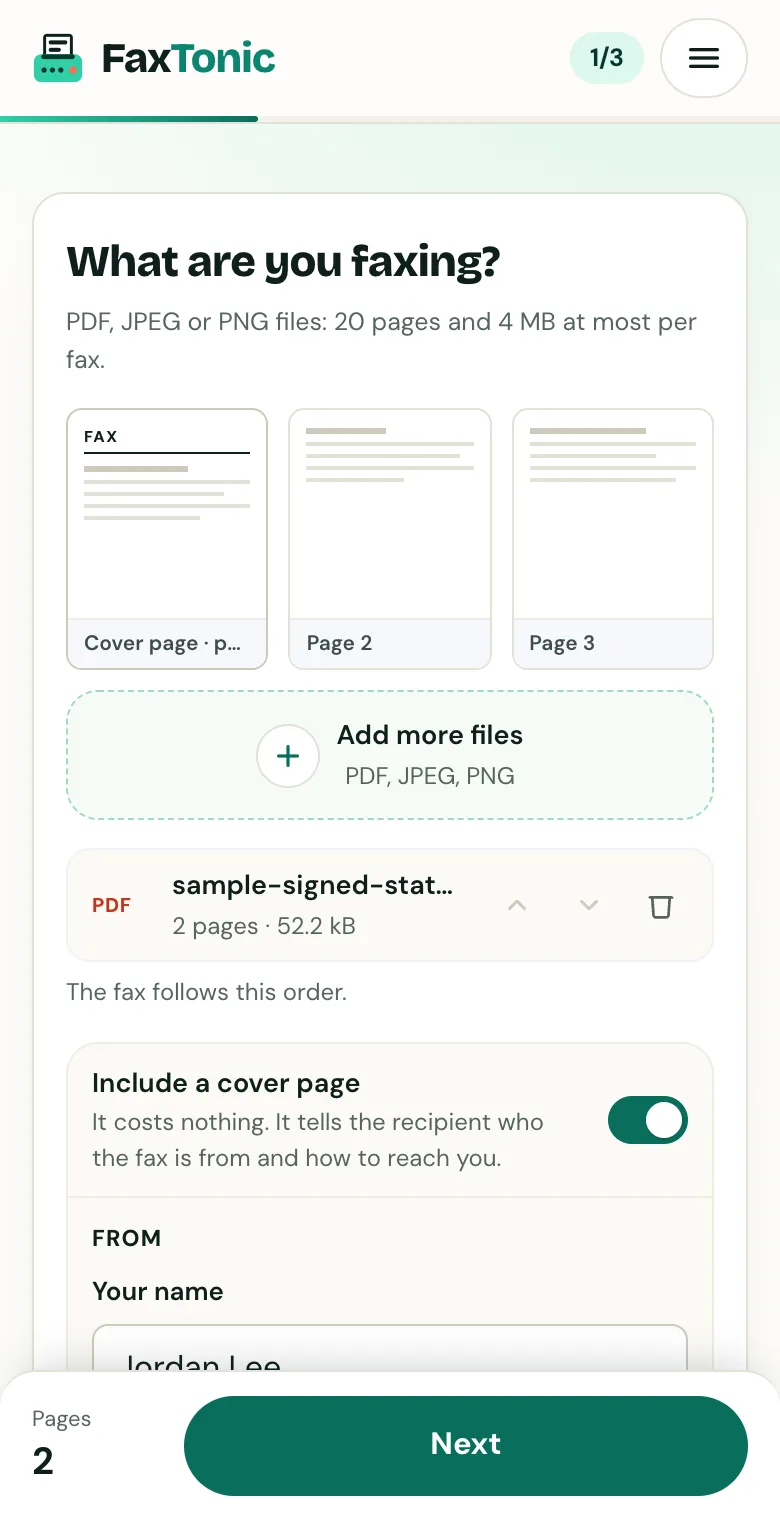
Add your file. The cover page is free, and you can turn it off.
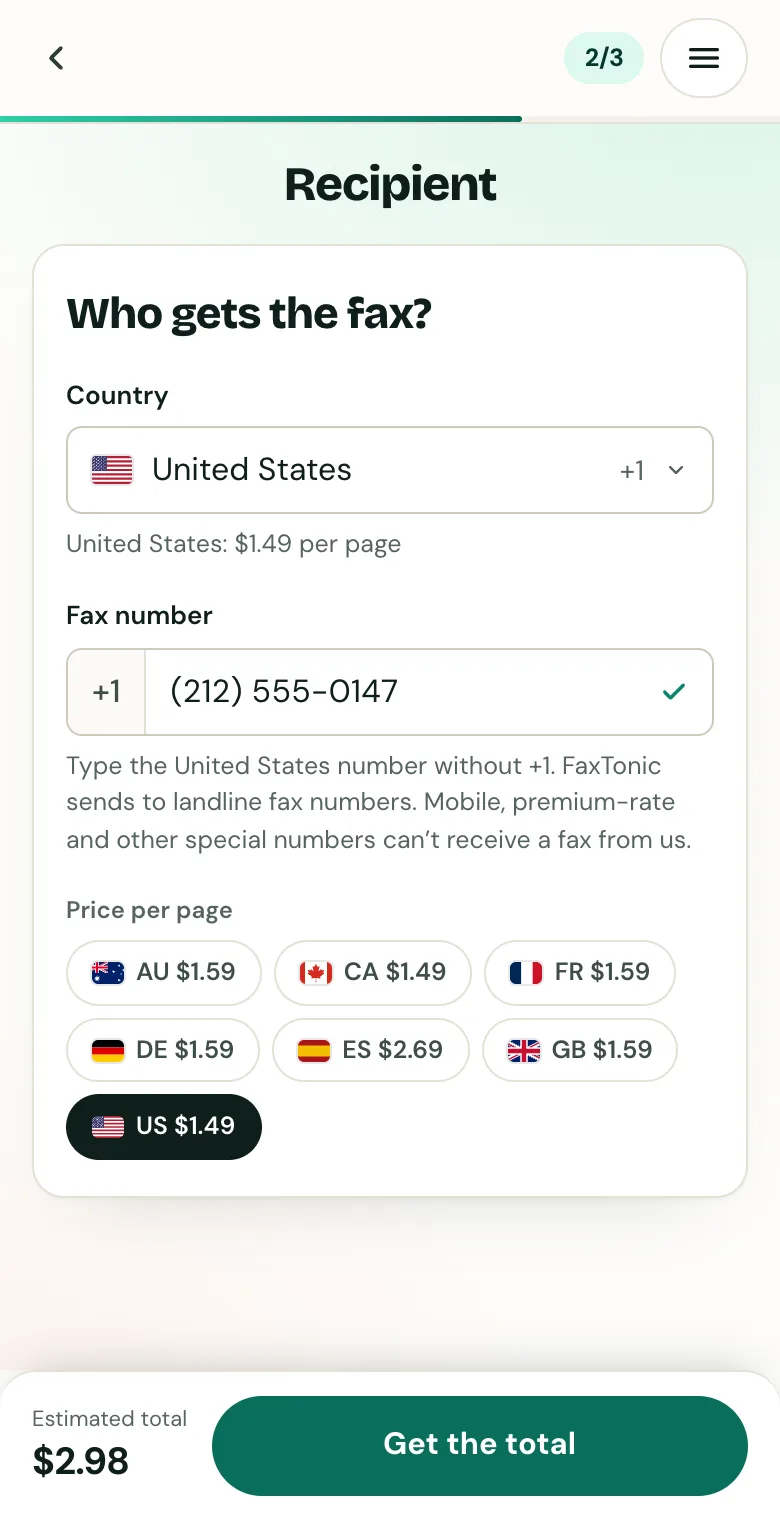
Pick the country and type the fax number.
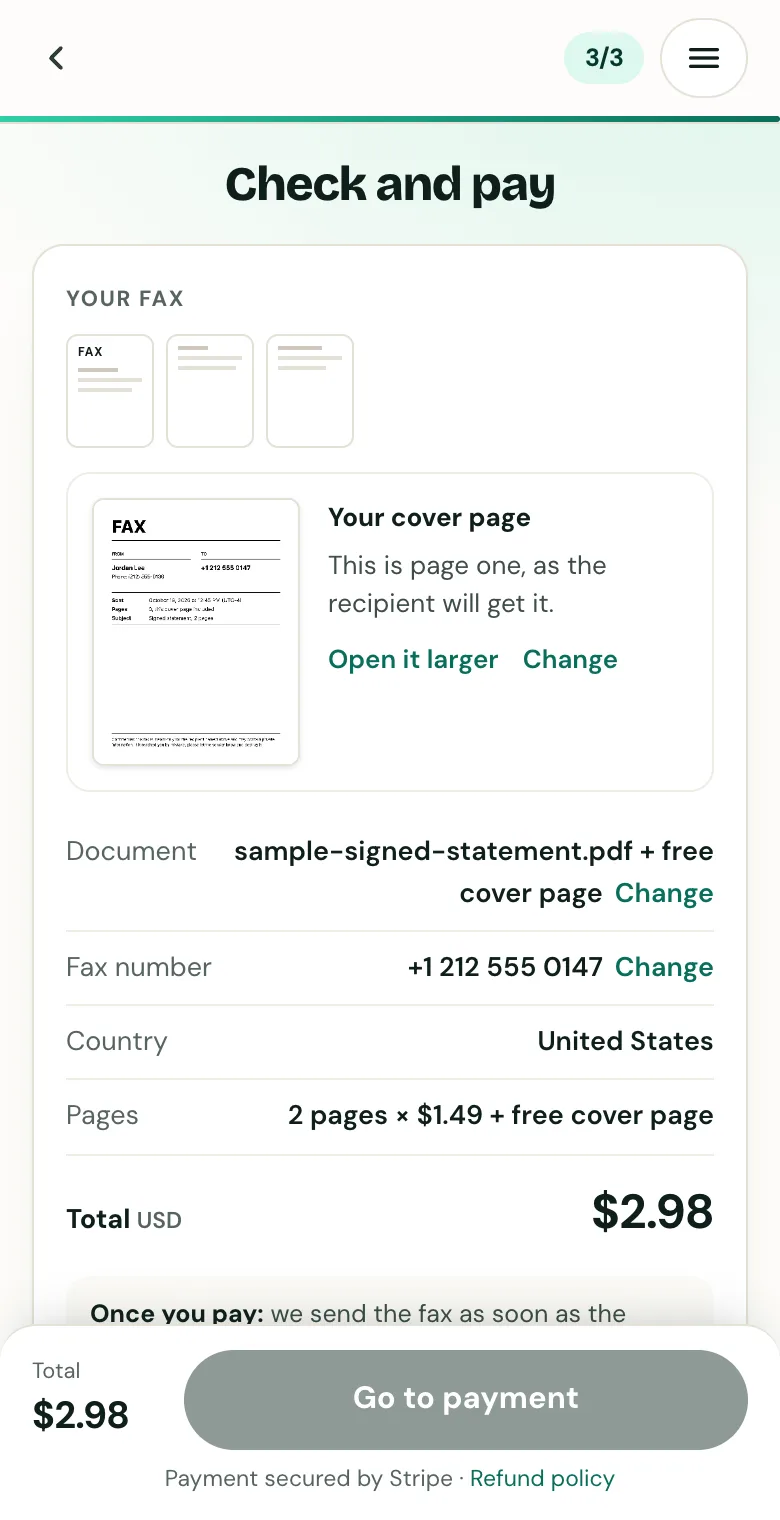
Check the cover page, the number and the total before you pay.
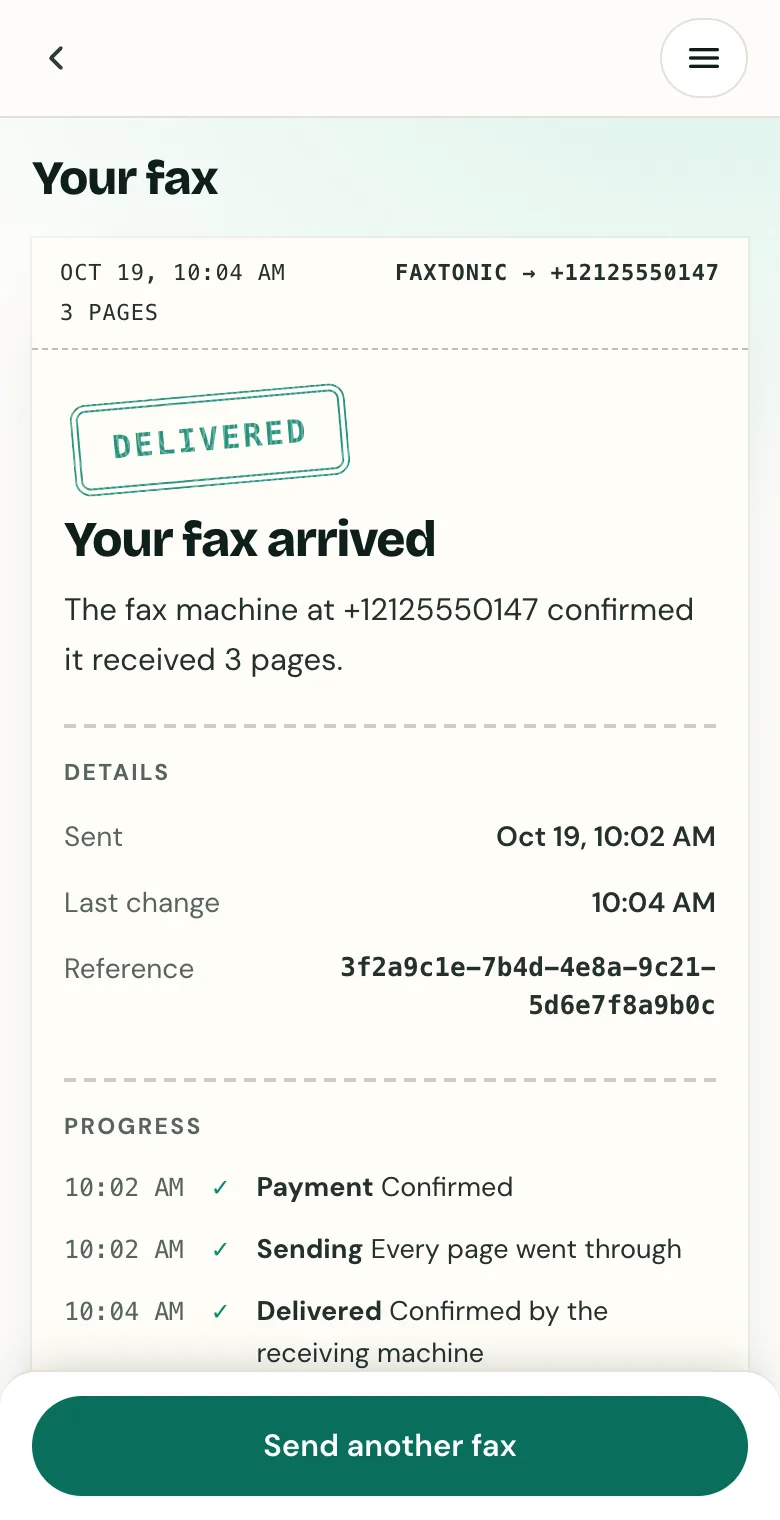
Follow your fax: the status page shows when it’s delivered.
Official sources
- IRS: Instructions for Form 8821
- IRS: Form 8821 (PDF)
- IRS: Common reasons for power of attorney rejection
- IRS: Submit Forms 2848 and 8821 online
- IRS: Tax Pro Account
- IRS: Power of attorney and other authorizations
- IRS: Processing status for tax forms
FaxTonic is an independent fax service. It isn’t affiliated with or endorsed by any agency, insurer, court or company named in this guide. Fax numbers and rules change: when a letter or form gives you a fax number, use that one.