On this page
Where to fax Form 2553
The number depends on the state where the corporation’s principal business, office or agency is located:
| Fax number | If the business is in |
|---|---|
| 855-887-7734 (Kansas City) | Connecticut, Delaware, the District of Columbia, Georgia, Illinois, Indiana, Kentucky, Maine, Maryland, Massachusetts, Michigan, New Hampshire, New Jersey, New York, North Carolina, Ohio, Pennsylvania, Rhode Island, South Carolina, Tennessee, Vermont, Virginia, West Virginia or Wisconsin |
| 855-214-7520 (Ogden) | Alabama, Alaska, Arizona, Arkansas, California, Colorado, Florida, Hawaii, Idaho, Iowa, Kansas, Louisiana, Minnesota, Mississippi, Missouri, Montana, Nebraska, Nevada, New Mexico, North Dakota, Oklahoma, Oregon, South Dakota, Texas, Utah, Washington or Wyoming |
These lists differ from the ones for Forms 2848 and 8821, so don’t reuse a number from another form. When you fax the election, the instructions ask you to keep the signed original with the corporation’s permanent records.
The deadline
File Form 2553 no more than 2 months and 15 days after the start of the tax year the election is meant to take effect, or at any time during the tax year before it. For a corporation whose tax year starts on January 1, that window closes on March 15. The IRS manual adds that when the last day falls on a weekend or a holiday, the next business day counts.
This is where fax helps: the IRS manual tells its staff that a fax confirmation can prove an election was filed on time, as long as it shows the right service center’s number and a date within the deadline. FaxTonic’s status page shows the number you faxed, the pages and when delivery was confirmed, so save a copy of it with the corporation’s records.
Missed the deadline? A late election generally takes effect the following tax year. The instructions describe relief for some late elections filed within 3 years and 75 days of the intended effective date: those carry “FILED PURSUANT TO REV. PROC. 2013-30” at the top, and must meet the conditions the instructions set out.
Signatures and shareholder consents
- An officer signs the election: the president, vice president, treasurer, assistant treasurer, chief accounting officer or another officer authorized to sign. The instructions say an unsigned Form 2553 isn’t treated as filed on time.
- Every shareholder consents, by signing and dating column K or a separate consent statement. When spouses share a community interest in the stock, both consent, and so does each co-owner of jointly held stock.
- Which shareholders? For an election filed before its effective date, those who own stock on the day it’s made. For one filed on or after that date, everyone who owned stock at any time between the effective date and the day of the election.
The IRS manual says fax signatures are acceptable in any of the form’s signature fields, but electronic, digital and stamped signatures aren’t. Have everyone sign on paper, then scan or photograph the signed pages.
Pages and attachments
The form has four pages, and not every part applies to every corporation: Part II is for a corporation that ticked box 2 or 4 on item F, for example. If you need more shareholder rows, the instructions say to use extra copies of page 2. A separate consent statement or continuation sheet must show the corporation’s name, address and EIN, with the details asked for in columns J to N.
If you tick box Q1, asking for a fiscal year based on a business purpose, the IRS charges a separate user fee. Don’t pay it with the form: the IRS sends a notice when it’s due.
A FaxTonic fax can have up to 20 pages, cover page included. An election with many consent statements may not fit in one fax.
After you fax it
The IRS answers by mail. The instructions say a corporation should generally hear within 60 days, with about 90 more days when box Q1 is ticked. An accepted election brings notice CP261, which the IRS asks you to keep in your permanent records. A denied one brings notice CP264, with the reason, and the IRS says you can file a new, complete and timely Form 2553 at any time.
If you’ve heard nothing within 2 months of the date you faxed it, or 5 months with box Q1, the instructions say to follow up by calling the IRS at 1-800-829-4933.
Form 2553 isn’t on the IRS’s list of forms you can complete and submit online, so fax and mail are the usual ways to send it. Nothing comes back by fax, which suits FaxTonic: it sends faxes but can’t receive them.
How to fax Form 2553 with FaxTonic
- Download Form 2553 from irs.gov, complete it, and collect the officer’s signature and every shareholder’s consent in ink.
- Scan or photograph the pages with any consent statements or continuation sheets. FaxTonic takes PDF, JPEG, and PNG files, up to 4 MB once prepared for faxing.
- Open FaxTonic and add your file. The free cover page is optional; if you keep it, put “Form 2553, S corporation election” and the corporation’s name in the subject.
- Choose the United States and enter the number for the state where the business is located. Check the total, $1.49 a page, before you pay.
- Pay by card. Once the status page shows the fax delivered, save it with the corporation’s records, next to the signed original.
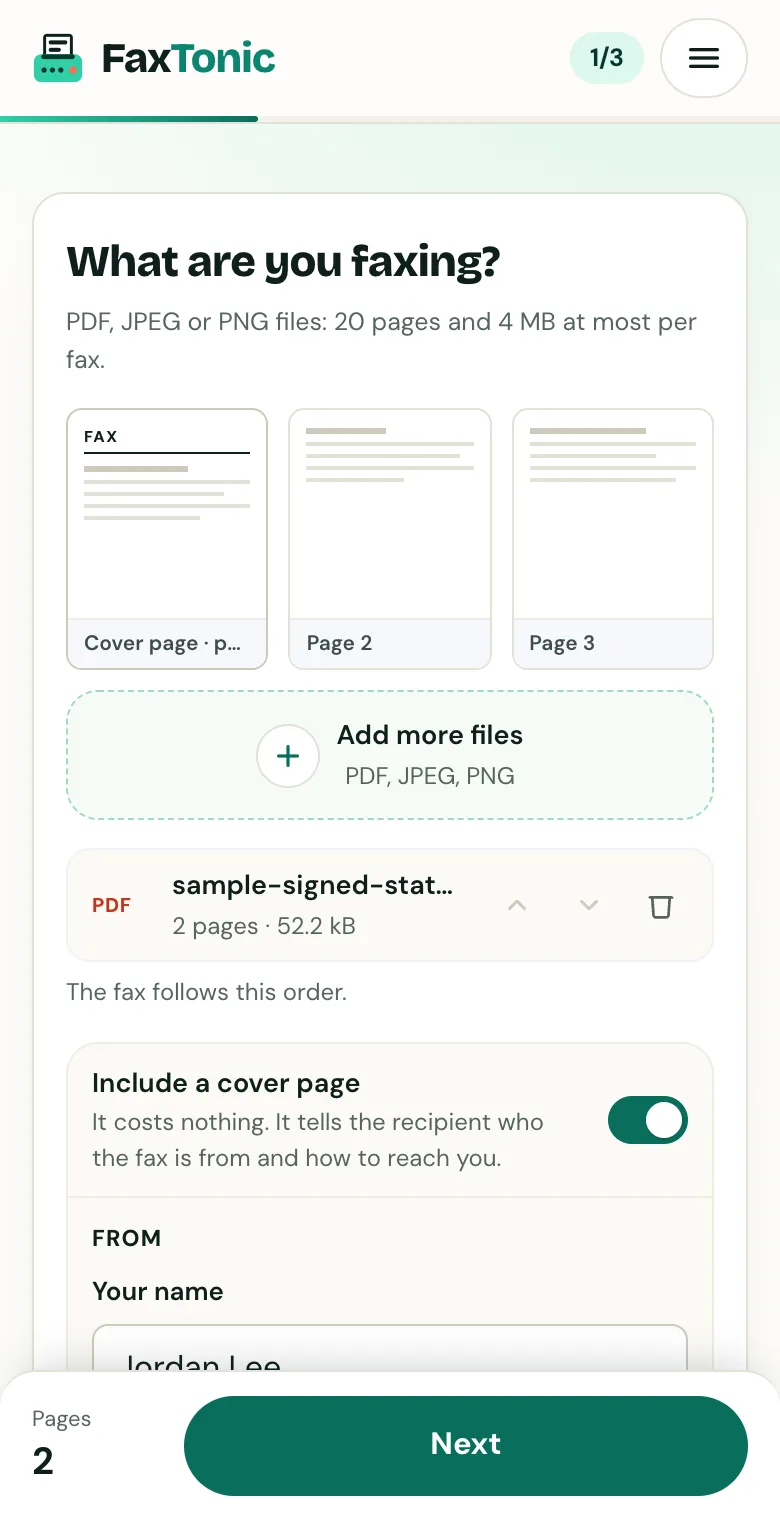
Add your file. The cover page is free, and you can turn it off.

Pick the country and type the fax number.
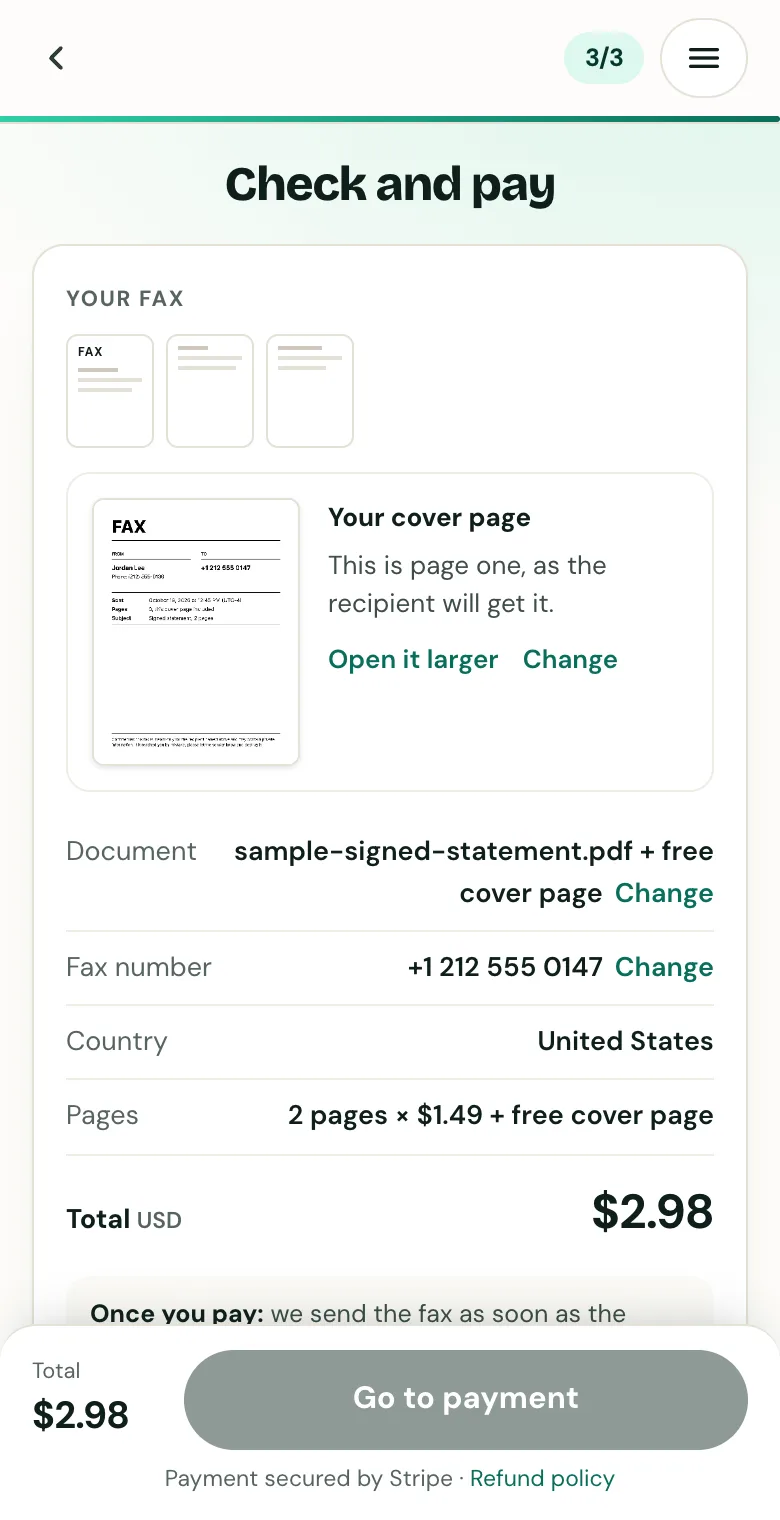
Check the cover page, the number and the total before you pay.
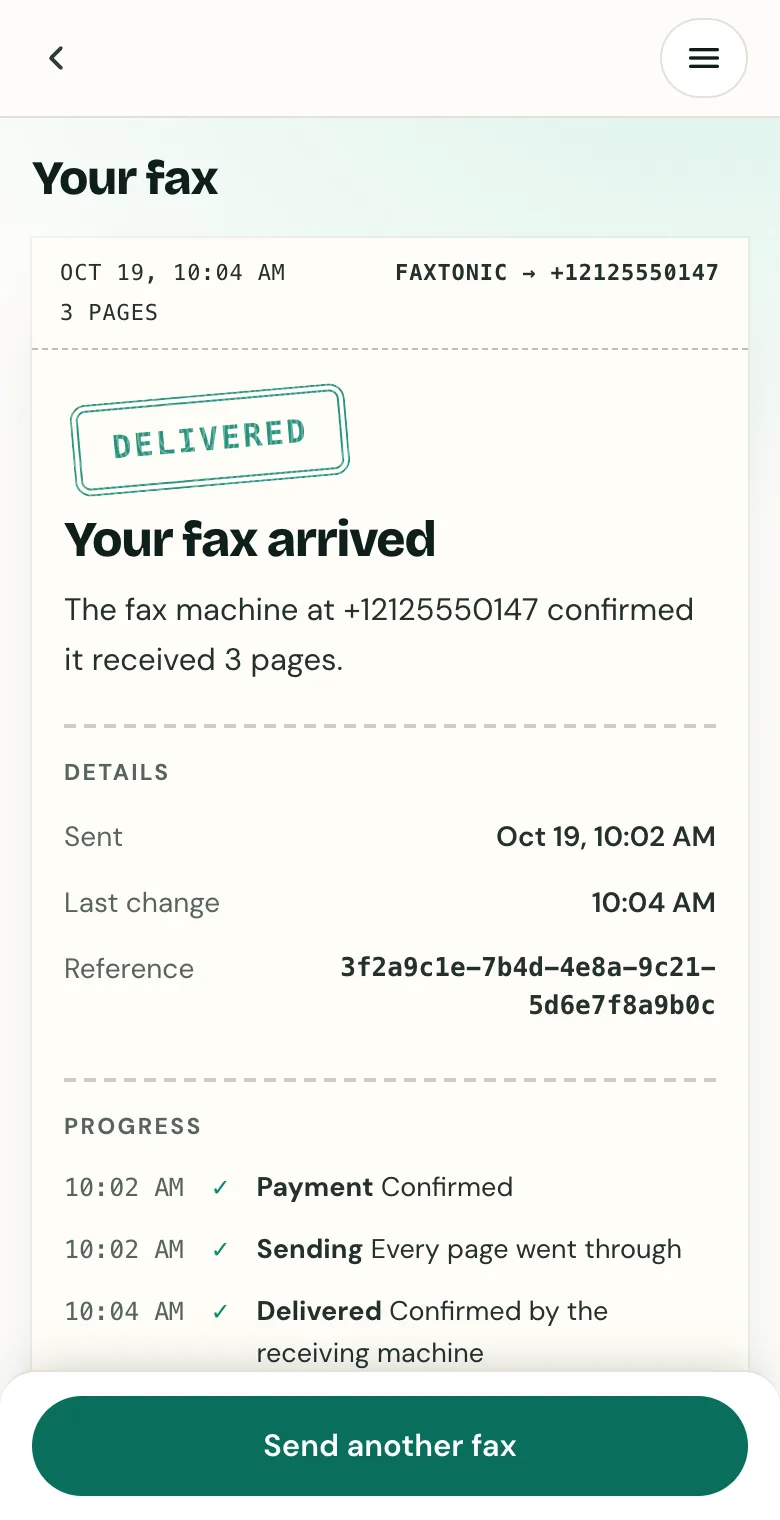
Follow your fax: the status page shows when it’s delivered.
Official sources
- IRS: Instructions for Form 2553 (PDF)
- IRS: Form 2553 (PDF)
- IRS: Where to file your taxes for Form 2553
- IRS: S corporations
- IRS: Understanding your CP261 notice
- IRS: Understanding your CP264 notice
- Internal Revenue Manual 3.13.2, BMF account numbers
- IRS: Mobile-friendly forms
FaxTonic is an independent fax service. It isn’t affiliated with or endorsed by any agency, insurer, court or company named in this guide. Fax numbers and rules change: when a letter or form gives you a fax number, use that one.