



On this page
Which number to fax
| You’re appealing | Send it to | Fax |
|---|---|---|
| A claims examiner’s determination | The UI Appeals Tribunal | 404-232-3901 or 404-232-3902 |
| An Appeals Tribunal administrative hearing officer’s decision | The Board of Review | 404-232-3339 |
To deliver an appeal by hand instead, both offices are at 148 Andrew Young International Blvd. NE in Atlanta: the Appeals Tribunal in Suite 525 and the Board of Review in Suite 510.
The 15-day limit and what to include
GDOL says an appeal must be submitted in writing within 15 days of the date on the claim determination or decision. Keep that determination or decision at hand while you write: you’ll need details from it.
- the release date on the determination or decision you’re appealing;
- the docket number, if you’re appealing an Appeals Tribunal hearing officer’s decision;
- the claimant’s name and Social Security number as they appear on it, with only the last four digits of the Social Security number on a fax or an email;
- your name, your address and the best phone number to reach you;
- a detailed explanation of why you’re appealing.
GDOL warns that an appeal missing these details will be delayed, and may be denied.
While the appeal is pending
Keep claiming benefits and submitting your Weekly Work Search Record, and report to the career center if you’re told to. If the decision goes your way, GDOL pays every week you were eligible for, properly claimed and sent a work search record for. If a decision to pay you is reversed, you’ll have to repay the benefits for the weeks you didn’t qualify.
GDOL’s Appeals Handbook (DOL-424B) explains the rest of the process.
Filing online instead
Claimants can appeal in GDOL’s Online Appeal Application, which asks for their Social Security number and password. Employers use the “File UI Appeal” link in the Employer Portal.
How to fax a Georgia appeal with FaxTonic
- Write your appeal with the release date, the docket number if there is one, the claimant’s name and the last four digits of the Social Security number, your contact details and your reasons.
- Scan the pages, or photograph each one flat. FaxTonic takes PDF, JPEG, and PNG files, with up to 20 pages per fax and 4 MB once prepared for faxing.
- Upload the file to FaxTonic. On the free cover page, use a subject such as “Unemployment appeal” with the release date, and add your name and a phone number.
- Choose the United States and enter 404-232-3901 or 404-232-3902 for the Appeals Tribunal, or 404-232-3339 for the Board of Review. Check the price, $1.49 a page, and pay by card within the 15 days.
- Once the fax is delivered, save a screenshot of the status page and keep it with a copy of what you sent.

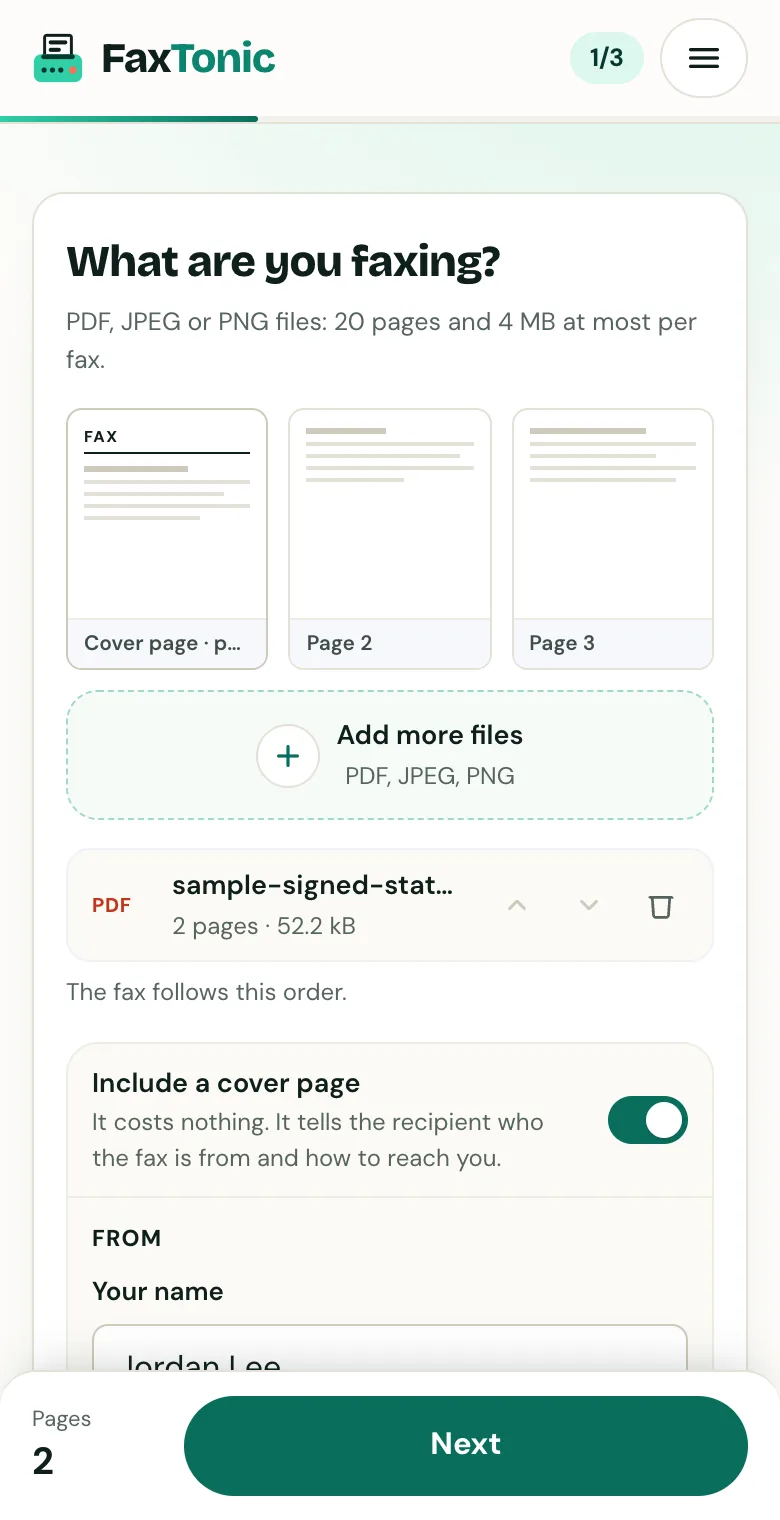
Add your file. The cover page is free, and you can turn it off.
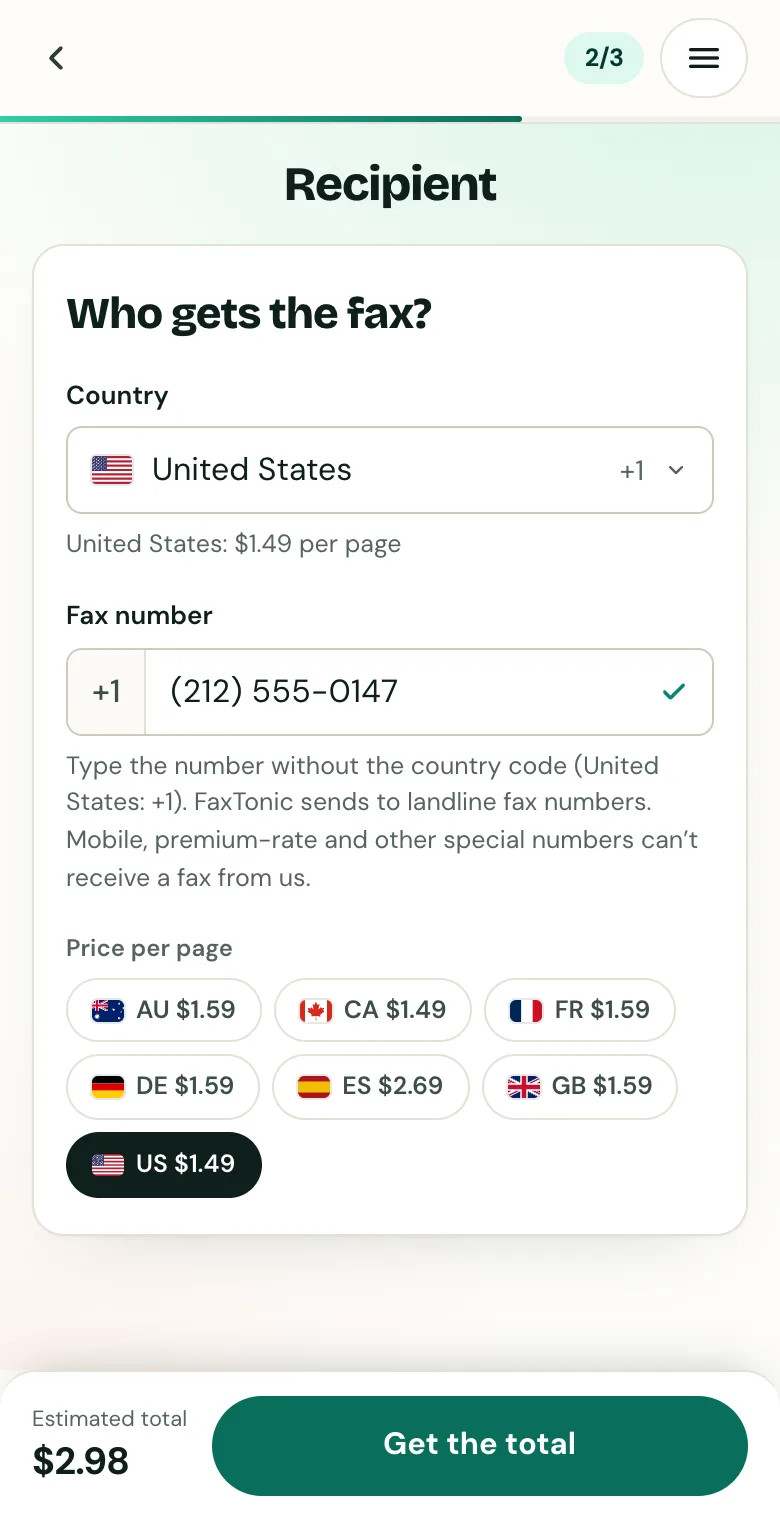
Pick the country and type the fax number.
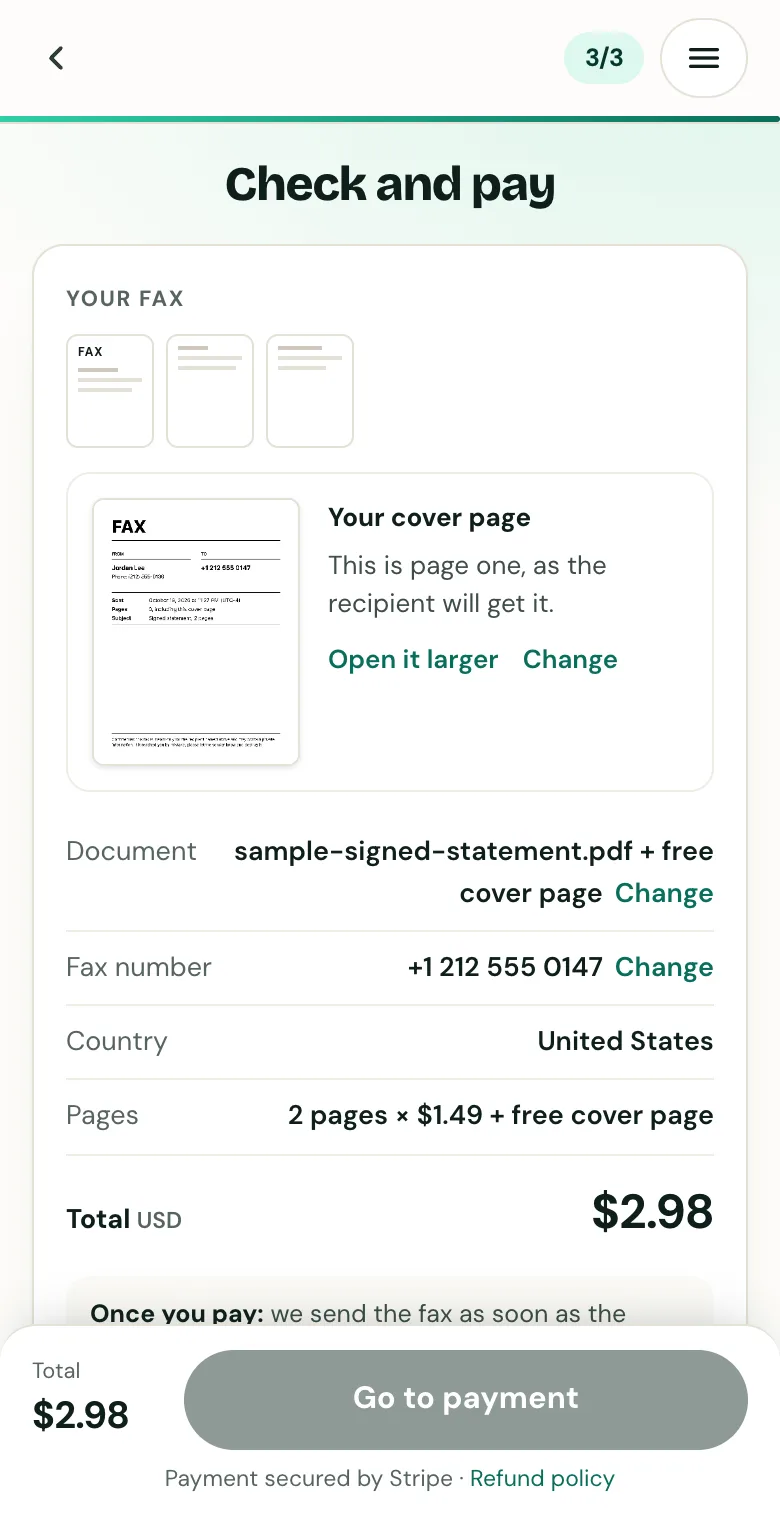
Check the cover page, the number and the total before you pay.
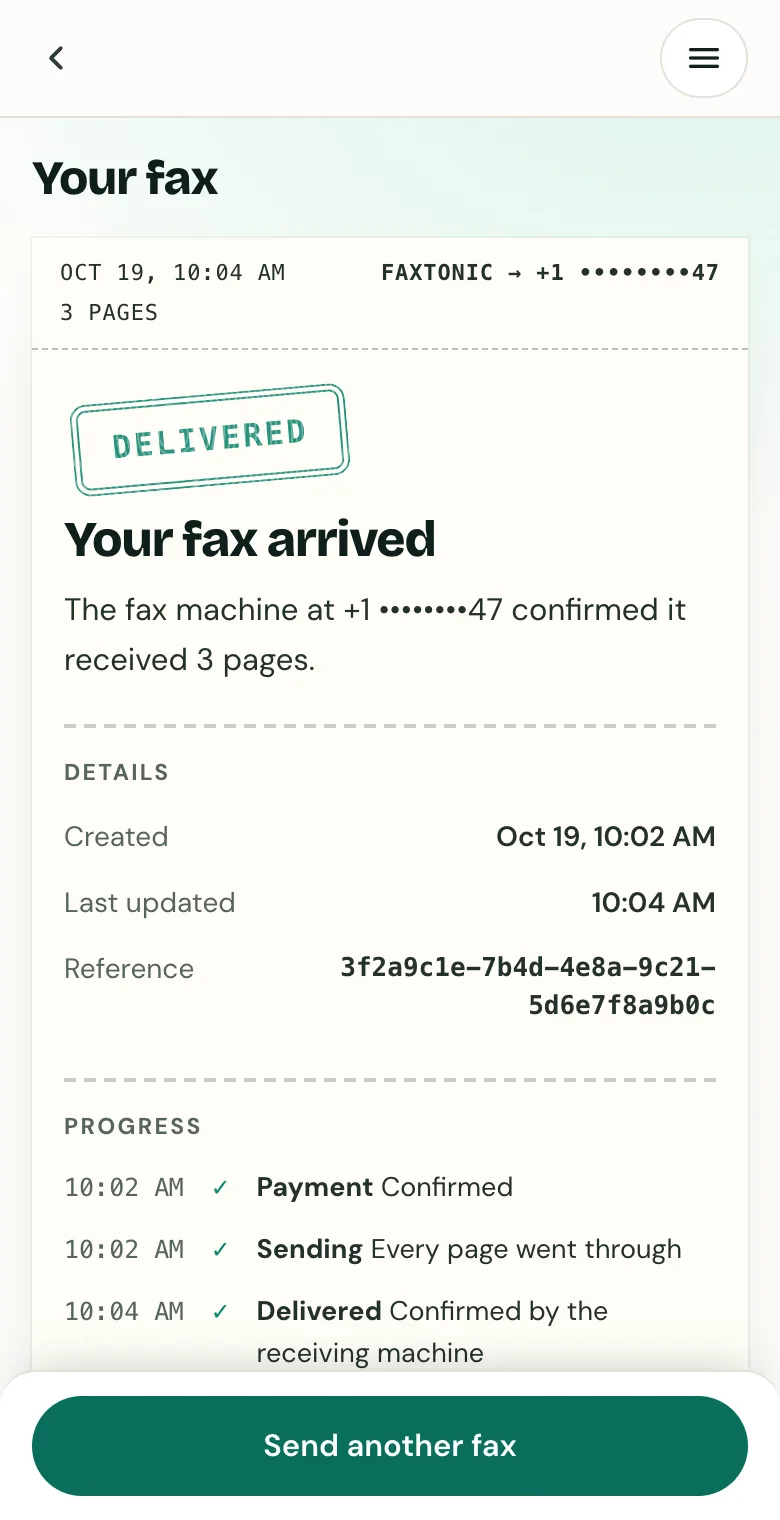
Track your fax: the status page shows when it’s delivered.
Official sources
FaxTonic is an independent fax service. It isn’t affiliated with or endorsed by any agency, insurer, court or company named in this guide. Fax numbers and rules change: when a letter or form gives you a fax number, use that one.