On this page
The paper application: DE 1101I
EDD says the fastest way to apply or reopen a claim is online, through UI Online in myEDD. If you need the paper Unemployment Insurance Application (DE 1101I), in English or Spanish, you can fax it to 1-866-215-9159, the number printed on every version of the form. For reopening a claim, EDD calls fax faster and more secure than mail.
- Pick the right version. Besides the standard DE 1101I, EDD has versions for people who worked in California only or in California and another state (DE 1101ID), for federal workers (DE 1101IBD) and for military service (DE 1101IAD).
- Combined wage claims, for people with wages from two or more states in the last 18 months, can only be filed by phone, fax or mail, not online.
- Leave the last page out. It says “Do not mail or fax this page” and is yours to keep.
- Your Social Security number goes in the header of every page.
The form says to allow 10 days for processing, and your claim materials come by mail.
Notices that print a fax number
Some EDD notices ask for a reply by fax or mail and print the number on the notice itself, for example a notice that comes with an application for an overpayment waiver, or a request for an Affidavit of Wages (DE 23A) with proof of earnings. Use the number on your notice: EDD has no general fax for claim documents.
Employers answering a wages notice request (forms DE 4806, DE 4807, DE 4808 or DE 4809) can fax it to 916-449-2192, as the forms say, or mail it. The response to a notice of a claim filed (DE 1101CZ) goes by mail within 10 days, or electronically through SIDES.
Appeals
To appeal a Notice of Determination or Ruling, or a Notice of Overpayment, you have 30 days from its mailing date; after that you must explain why you’re late. EDD says to mail your appeal form (DE 1000M) or a letter to the address at the top of the notice, and the form asks for your name and Social Security number on every extra page. EDD’s appeals pages give no fax number for this first step, so mail it.
Once an appeal is open, the California Unemployment Insurance Appeals Board (CUIAB) handles it through one of its Offices of Appeals, and says parties can use its “My Appeal” portal instead of mail, fax or phone. If you don’t use the portal, CUIAB asks you to contact the Office of Appeals on your Notice of Hearing to confirm how to send documents. Each office publishes a fax number on its page on cuiab.ca.gov.
An appeal of the judge’s decision to the Board must be in writing within 30 days of the decision’s date, sent to the Office of Appeals on the decision cover or through the CUIAB website.
The appeal form has an optional box for your fax number. FaxTonic can’t receive faxes, so leave it blank or give a fax that receives.
What EDD doesn’t take by fax
- Identity documents requested on a DE 1326C: upload them in UI Online, which EDD calls the quickest and most secure way, or mail them, within 10 calendar days of the notice’s mail date.
- Disability Insurance and Paid Family Leave claim forms: EDD’s paper-claim guides say not to send photocopied or faxed forms, and to mail them in the pre-addressed envelope.
Watch for scams
EDD says its unemployment texts come from 510-74 or 918-06, that its links include edd.ca.gov, and not to trust websites that don’t end in ca.gov. Criminals run fake unemployment sites to collect usernames and passwords.
How to fax EDD with FaxTonic
- Fill in the DE 1101I version that fits you, or the form your notice asks for, and sign it.
- Scan the pages to send, leaving out the page marked “Do not mail or fax this page”. FaxTonic takes PDF, JPEG, and PNG files, up to 4 MB once prepared for faxing and 20 pages per fax.
- Open FaxTonic and add your file. The cover page is free and optional; if you keep it, add your name, a phone number and the form number in the subject.
- Choose the United States, enter 1-866-215-9159 or the number on your notice, and check the price: $1.49 a page. Then pay by card.
- Save a screenshot of the status page once the fax is delivered, and watch the mail for your claim materials.
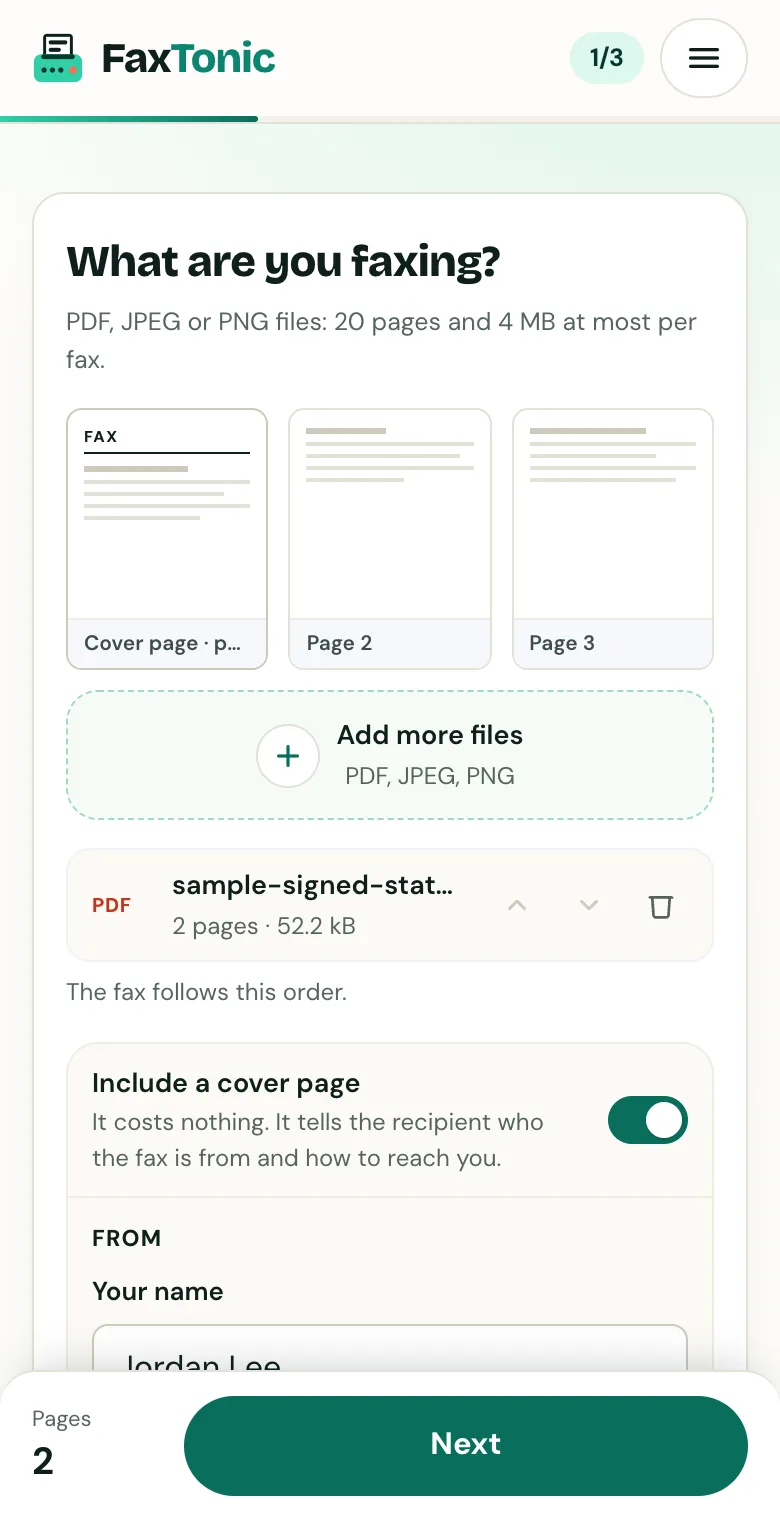
Add your file. The cover page is free, and you can turn it off.
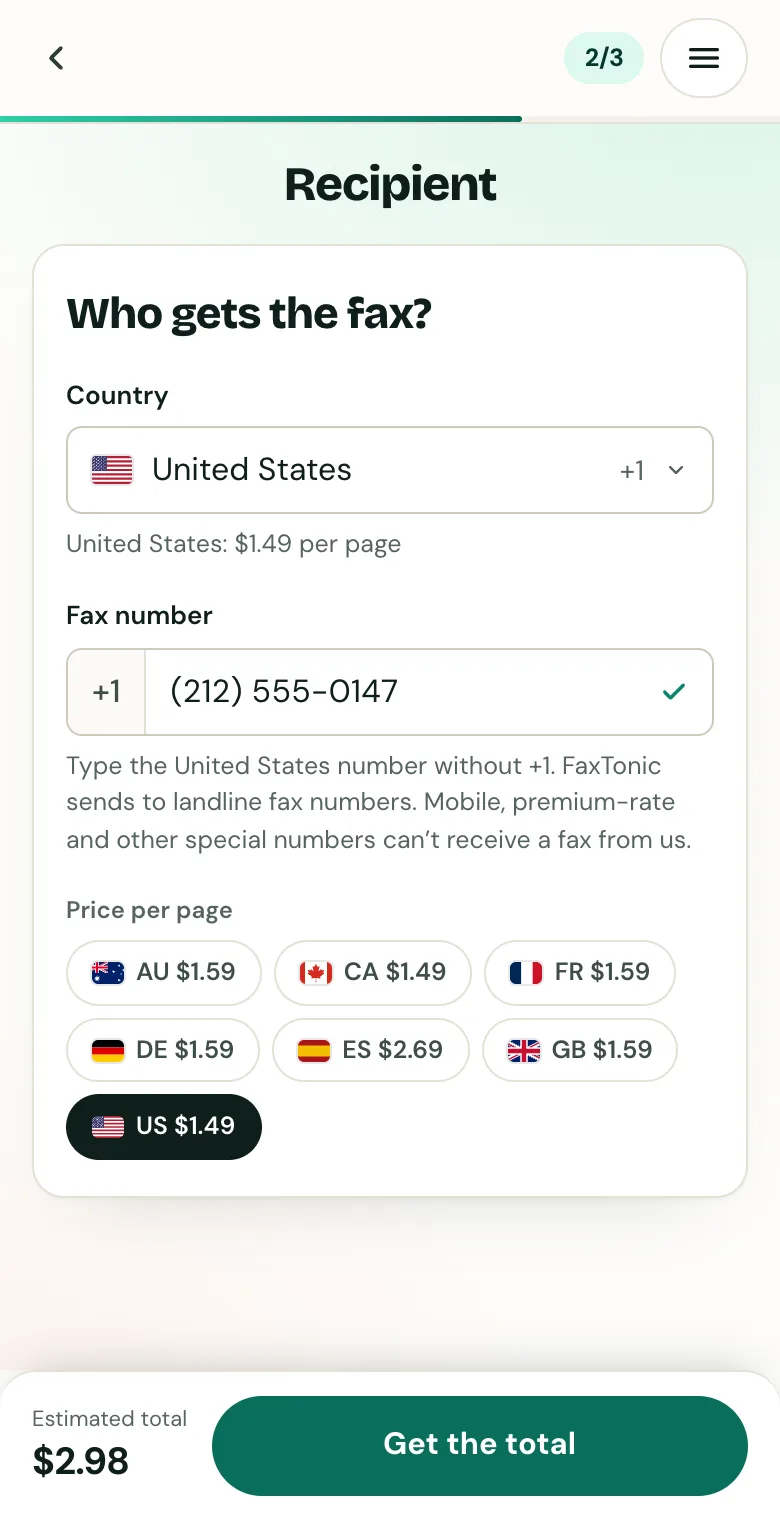
Pick the country and type the fax number.
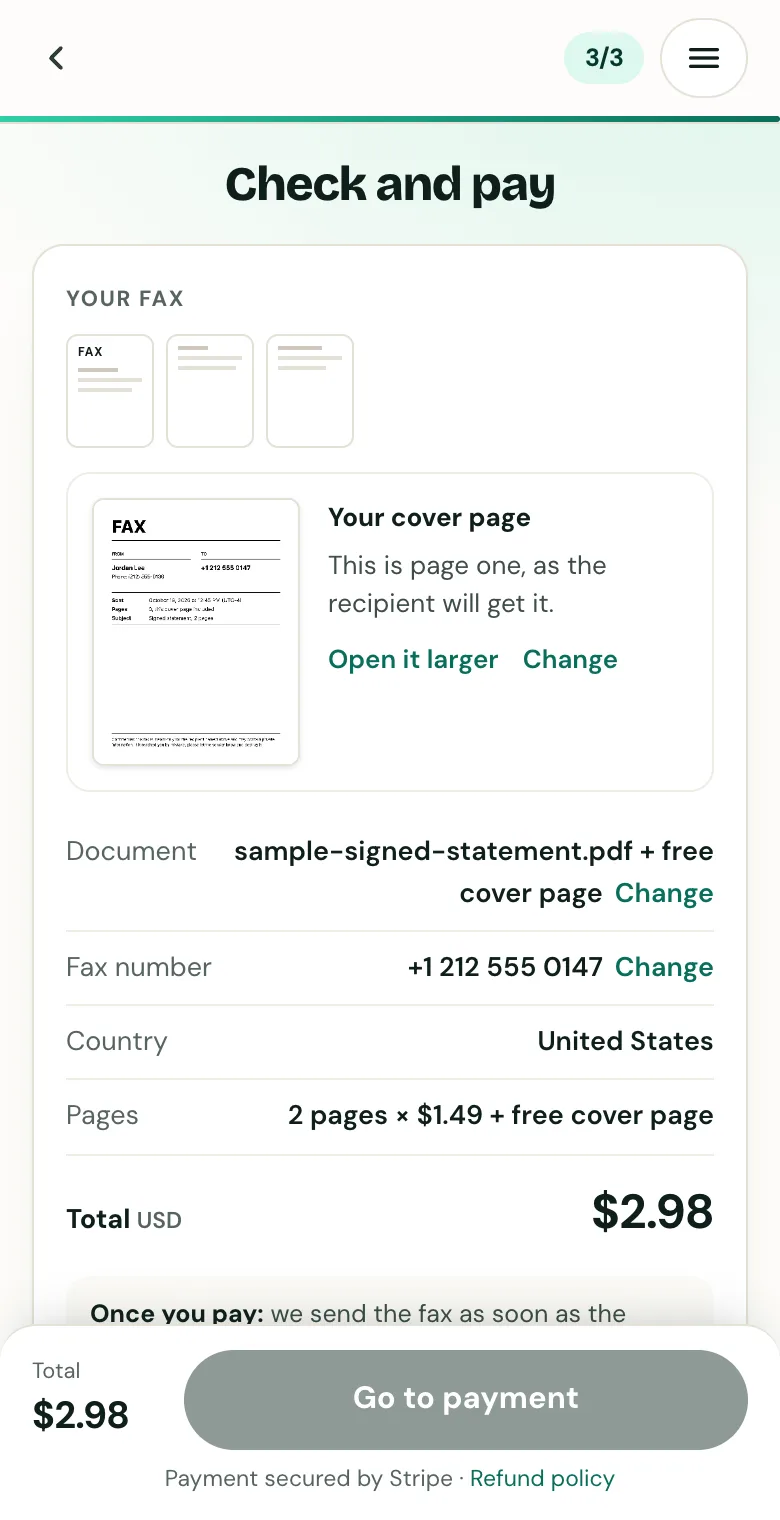
Check the cover page, the number and the total before you pay.
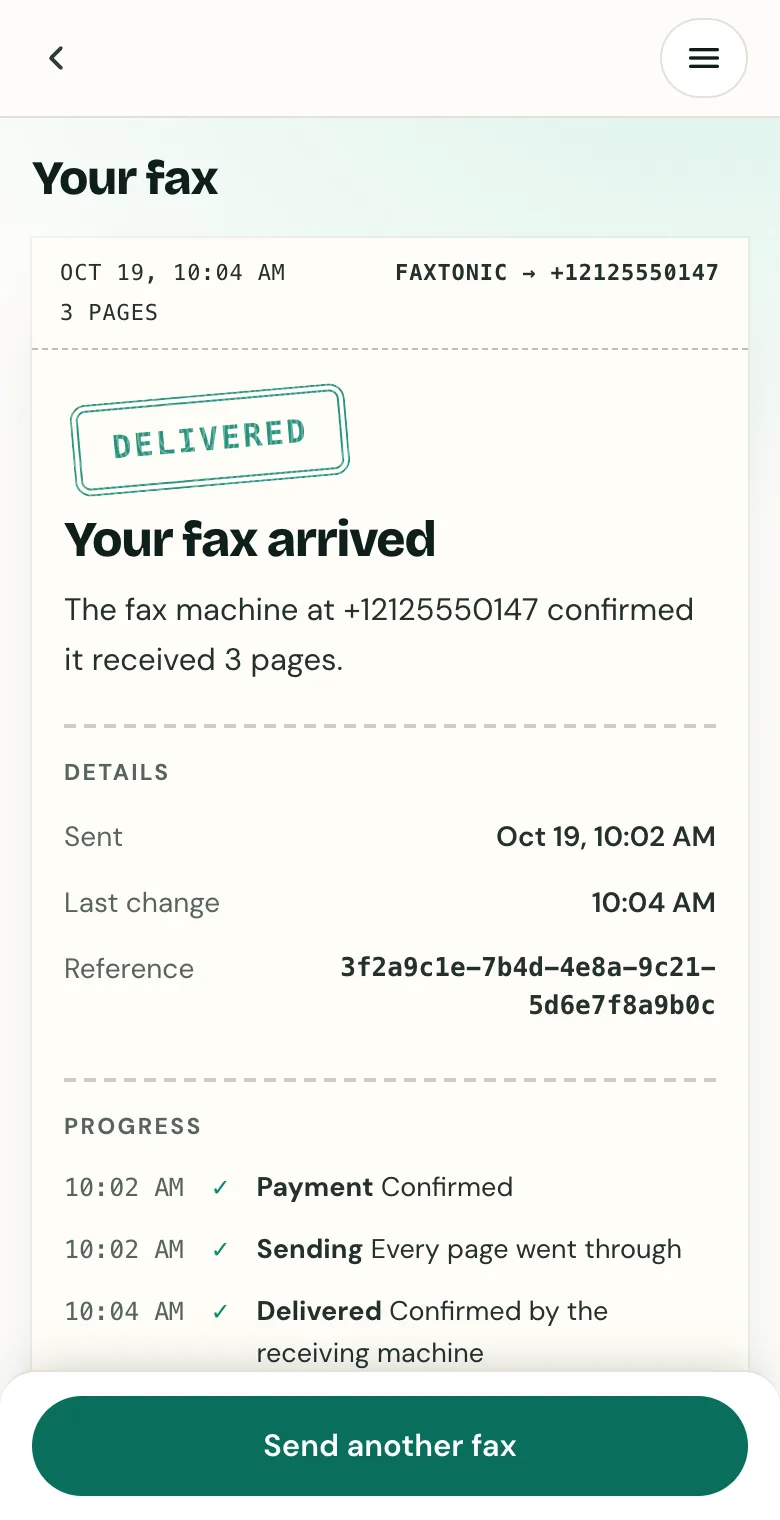
Follow your fax: the status page shows when it’s delivered.
Official sources
- EDD: Apply for Unemployment Insurance
- EDD: Reopen a claim
- EDD: Unemployment FAQs
- EDD: Unemployment forms and publications
- EDD: Unemployment Insurance Application, DE 1101I (PDF)
- EDD: Wages Notice Request, DE 4806 (PDF)
- EDD: Appeals
- EDD: Appeal form, DE 1000M (PDF)
- CUIAB: Filing an appeal
- CUIAB: Frequently asked questions
- CUIAB: Hearing information, DE 6412 (PDF)
- CUIAB: Notice to parties, DE 6401 (PDF)
- EDD: Identity verification
- EDD: Filing a Disability Insurance claim on paper (PDF)
- EDD: Fraud
FaxTonic is an independent fax service. It isn’t affiliated with or endorsed by any agency, insurer, court or company named in this guide. Fax numbers and rules change: when a letter or form gives you a fax number, use that one.